Creating worlds
Create your own AI roleplay world on Imagina. Learn how worlds work, how to start building, and how to use characters, trackers, beats, RPG mechanics, and more.
This page shows what you can build and points you to the deeper page for each feature.
What can you build?
These are the features that Imagina supports. They can be used to build various AI-driven worlds. You can always add depth later, either by editing sections yourself or by asking Ima to analyze and update your world for you.
- A narrator that remembers. The story keeps named state across the whole journey (trackers), pulls in background knowledge when it becomes relevant (the lore book), and fires scripted moments when the conditions you set are met (story beats). Your world reacts to what the player did twenty turns ago. See Trackers and Beats and story arcs.
- An RPG with rules you define. Stats, gear, and abilities woven into the prose, and real dice for genuinely uncertain actions. An optional LitRPG layer adds an in-world System with level-ups, skill notifications, and loot cards. See RPG mode and dice.
- A visually immersive story. Character sprites with different expressions and outfits that the stage picks per scene, illustrations generated on strong visual moments, and text-message exchanges rendered as phone-style bubbles. See Presentation and media.
- Distinctive text and formatting. System-style notification cards (Level Up, Quest Accepted, Item Acquired) for isekai, progression fantasy, and VRMMO stories. Glowing, glitching, whispered, or shaky text for atmosphere. Texting threads for stories where phones matter. See Presentation and media.
What is a world?
A world is a reusable story definition that you author. It combines the player-facing page (title, description, cover, tags) with the structured information the storyteller uses to narrate: instructions, characters, lore, trackers, beats, and settings.
A journey is one player's personal playthrough of your world. One world can spawn any number of independent journeys. Publishing an update never rewrites someone's journey in progress, and nothing a player does in their journey changes your world.
Keep that split in mind for the rest of this guide. Authoring, publishing, and versioning apply to worlds. Playing, turn history, and state apply to journeys.
Organizing the world's content
There are three main layers:
- Description is storefront copy. Players read it on the world page to decide whether to play. The storyteller sees it too, but only as a short pitch.
- Instructions are the storyteller's standing brief. Players never see them. This is where you define tone, boundaries, narrative style, and how the world behaves.
- Lore is knowledge that surfaces when relevant. Factions, places, history, and secrets the storyteller draws on when the story touches them.
The description is not the prompt
This is the most common creator mistake: a vivid description on the world page, and empty or vague instructions. The storyteller reads the description as a one-paragraph pitch, not as rules. If the description is the only thing you filled in, the story has a mood and nothing else to go on.
Specific instructions are important
For a world that pitches in the description, "A melancholy neo-noir where memories are bought and sold, and every deal costs a piece of who you were", a vague instruction like "be immersive and engaging" gives the storyteller a mood and nothing else. Scenes drift toward generic cyberpunk.
Specific instructions like, "Memory is the only currency. Every purchase costs the buyer a specific memory, which you name and which they can never recover. Write in slow, lyrical second person. Conflicts resolve through negotiation and betrayal, never gunfights." can steer the story to a more specific dynamic.
Foundations teaches how to write each layer well.
Ways to start
Open the editor from your creator area and choose how to begin.
- Generate with AI (recommended). Describe your concept in a few sentences, pick a story genre (Standard, RPG, or LitRPG) and an art style, and Imagina drafts a complete world: instructions, player characters, NPCs with portraits, lore, locations, trackers, beats, an opening, and a title card. You land in the editor to polish every field before anyone plays it. New accounts get free world generations as a welcome gift, and every plan includes a few free world generations each month. After that a generation costs credits, and the panel tells you the range before you commit. Generation runs in the background, so you can close the tab and come back.
- Blank World. Start with an empty template and fill in every section yourself. Full control, more typing.
- Make a solo character. A one-on-one character world with a custom greeting and scenario, for chat-style stories built around a single companion.
- Start from an example world. Copy a finished example into your account and study or reshape it.
- Import content. Upload a world you exported from Imagina, or a character card or lorebook from another app. Imports from other apps are approximate, and the preview lists anything that was simplified or skipped.

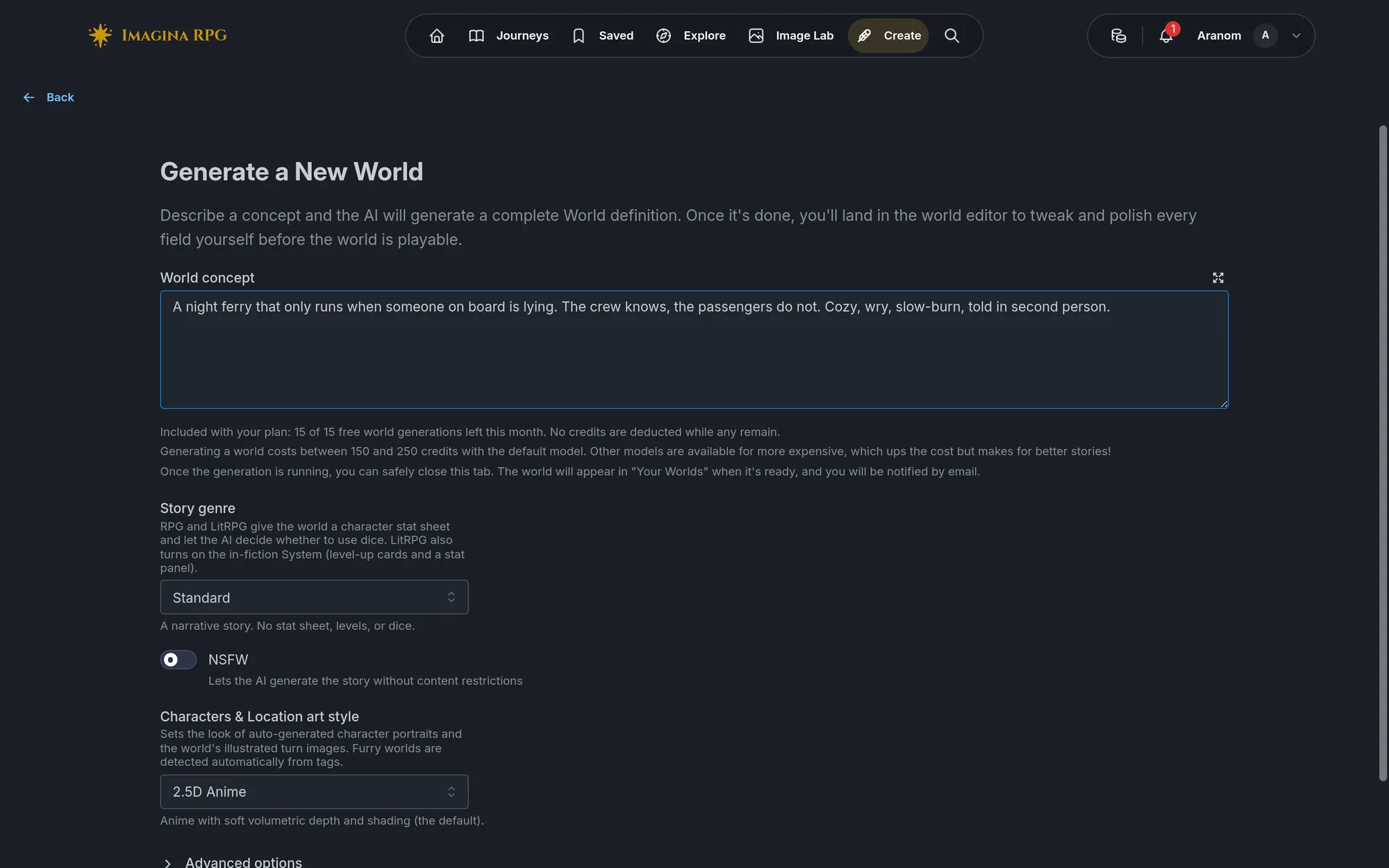
The creation workflow at a glance
- Build. Fill in the editor sections. The hub groups them as Basics, Story, Characters, Lore, Gameplay, and Advanced. The first three are required to publish, the rest are optional depth.
- Playtest. Save, then use Playtest in the toolbar to start a private journey against the version you have open. Play a handful of turns and see how the storyteller actually handles your instructions.
- Refine with Ask Ima. Ima reads your world, answers questions about it, and makes targeted edits when you ask. "Tighten the instructions for the tavern chapter." "Why does Priya never bring up her debt?" "Analyze the stat scaling in this sheet." Ima's edits go straight into your unsaved draft, whatever they touch, including rewritten passages, deleted entries, and changed images. Under each answer that changed something, the card says how many changes were applied, with Undo and Review diff. Undo removes only Ima's changes and keeps edits you made afterwards. Review diff opens the changes Ima applied, where you can untick individual ones and keep the rest, or undo them all. The one exception is an edit that collides with a change you made to the same thing while Ima was working: that one waits for you in a review instead. You can also just ask Ima to undo or change something back. Nothing is saved until you save. What an answer costs depends on the model and on how much work Ima did, and the amount is shown under it. You can also connect an editing tool of your own over MCP.
- Publish. Your world gets a shareable link and a short world code, and appears in Browse if you keep it public.
- Iterate. Play, read feedback, and edit. Create a new version to work on changes without touching the live one, then publish the new version when it is ready. Publishing is quiet, so when an update is worth a look, use Announce to tell the people who hearted or played your world what changed.

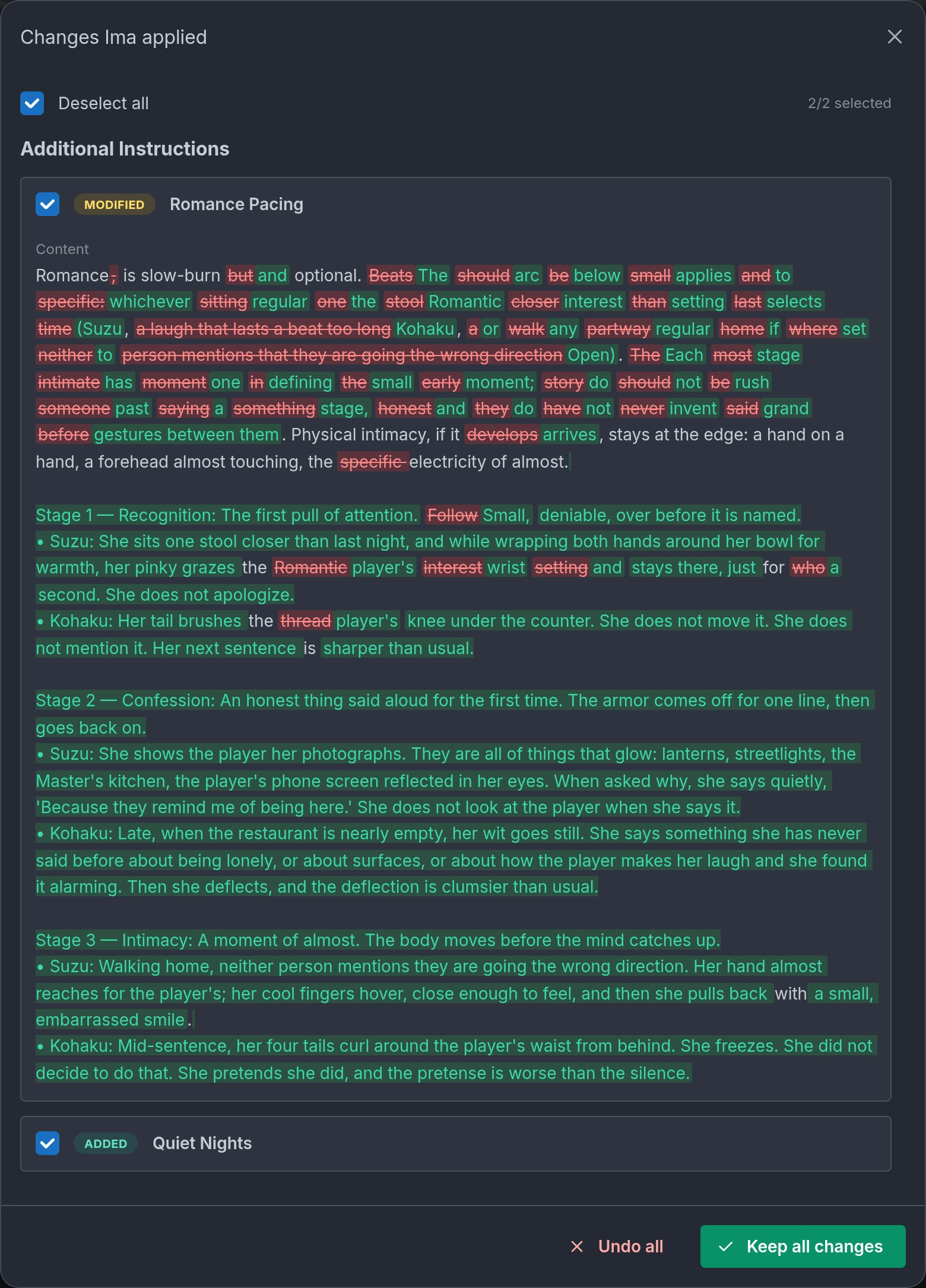
Refine with AI
The editor also keeps a one-shot Refine with AI button. Describe what the playtest got wrong, and the AI proposes a set of changes you accept or reject in a diff view. Every plan includes a few refinements a month, the panel shows the cost before you start, and it suits a broad pass over the whole world.
The minimum viable world
You can publish from the first three groups alone:
- Basics: a name, a title card image, and a description of at least 50 characters.
- Story: an introduction, a first action suggestion, and a journey objective (optional on 1-on-1 worlds). General instructions are not checked at publish time, but a world without them gives the storyteller nothing to follow.
- Characters: at least one player character, and every player character you add needs a name, description, and physical description.
Everything else is optional: lore book, locations, trackers, story beats, story arcs, RPG mode, dice, turn images, text effects, texting threads, extra images. Do not wait until you have used every feature. Publish something simple that works, then layer in depth as you learn what players respond to.
Versions and publishing
- A world has numbered versions. One version can be published at a time, and it is the one new journeys start from.
- Saving writes to the version you have open, including a published one. To work on changes without touching the live version, create a New Version first (it starts as a draft), or pick Save as New Version when the editor asks.
- Publish makes the open version live. Choose Public to appear in Browse and other discovery surfaces, or Unlisted so only people with the link can find it.
- Unpublish takes the live version down without deleting anything. New players can no longer find the world or start it from its link, journeys already started keep working, and you can republish at any time. To leave discovery but keep the link working, publish as Unlisted instead.
- Before publishing, Share draft gives testers a private link to play the exact version you are working on, and Share read-only link lets someone read the whole editor view without an account or the ability to change anything.
- Duplicate world (under More actions in the toolbar, or in the editor menu on a phone) makes a separate copy of the version you have open, as last saved, with all its images: title card, background, portraits, galleries and sprites, location pictures, maps, extra images, and Codex art. The copy is a new private draft owned by you, with its own image files, and the original is untouched. Use New Version to iterate on the same world, and Duplicate to try a big rework without risk or to start a sequel or variant as a separate world.
- Announce tells players about an update. Publishing on its own notifies nobody, so this is the deliberate step. It appears next to Unpublish while the live version is open, and it opens a Notes for players box prefilled with the Version notes of everything published since your last announcement (basic Markdown works). Tick Existing journeys can switch to this version when journeys started on an earlier version can safely continue on this one, and players get an Update and resume button while it stays live. Leave it off and they are advised to start fresh. People who hearted the world, played it in the last 20 days, or follow its universe get one notification, and the update shows on the home page, your world page, their journey cards, and their Updates page. You can announce once every 14 days per world, and only with new content, so the button greys out in between and hovering it explains when it reopens. More on writing good notes in announcing an update.
The playtest loop
Playtesting is where a world gets good. Start a private journey against your draft and check the things that matter:
- Does the opening put the player in the scene, or dump exposition?
- Does the tone match your instructions after five turns, not just the first?
- Do the characters sound different from each other?
- Do trackers actually move? Do beats fire when they should?
While playing your own world, open Debug from the journey menu (or type /debug). The State tab shows current trackers, tracked characters, locations, and which beats have fired. The Turns tab shows, for each turn, what changed: tracker changes, character updates, fired story beats, and revealed lore. If a tracker never moves or a beat never fires, the definition needs work, not the player.
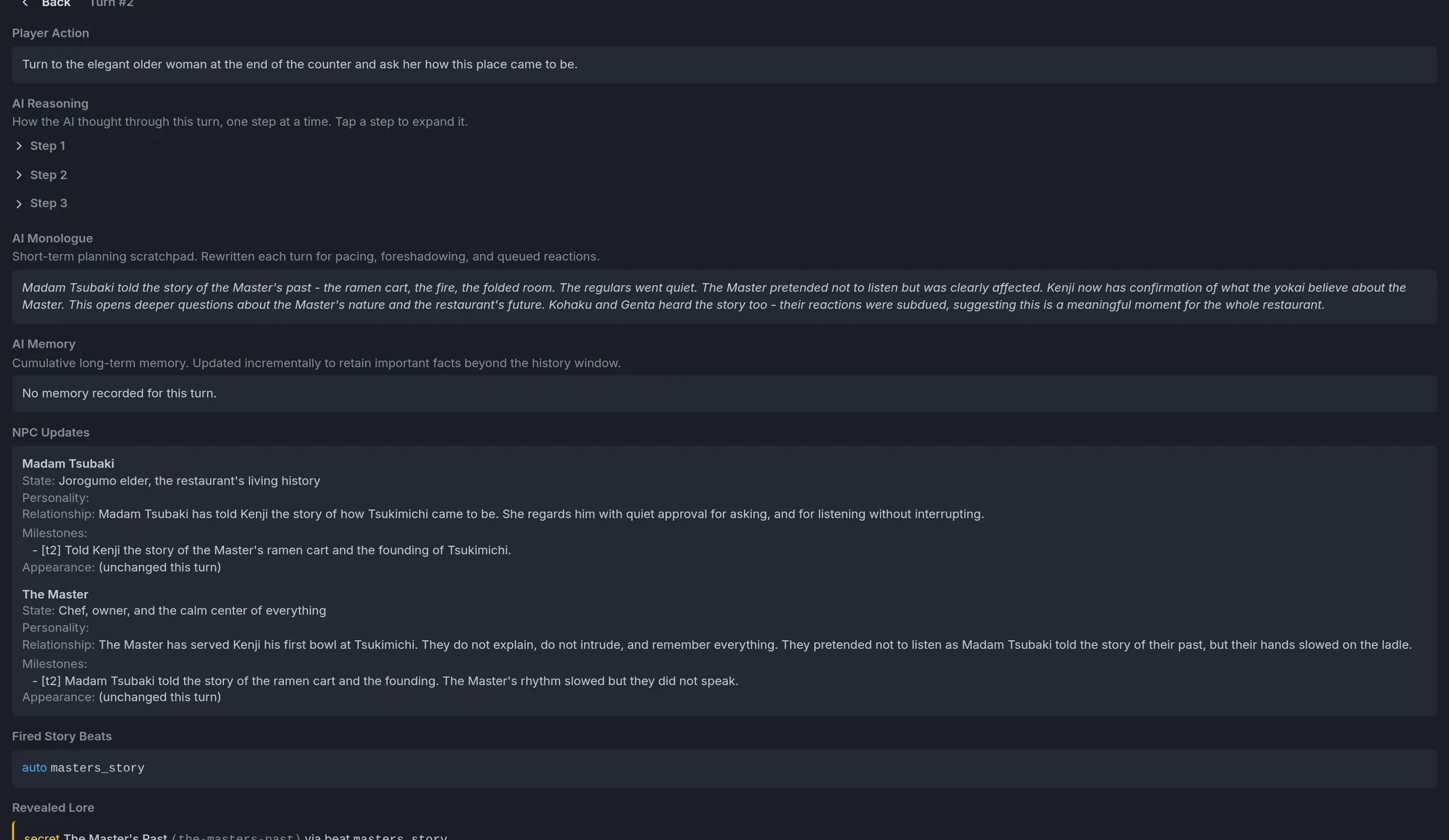
Then go back to the editor, fix, save, and play again. That loop is the core of world creation.
Creator revenue
When other players spend credits on paid turns in your published world, you earn a share:
- 10% of paid turns by other players, as the standard rate.
- 15% for worlds that support immersive mode (a background image plus sprite art on the cast).
Your own plays do not count, and neither do turns paid from a free account's daily credits. Payouts land in your credit balance automatically. Full details, including where to see your earnings, are in How does creator revenue share work?.
Universes
If you write sequels, spinoffs, or several stories in one setting, a universe puts them on one public page with a suggested reading order and world-to-world relations (sequel, prequel, spinoff, side story). When a player finishes a journey, the end screen suggests what to play next in the universe. See Worldbuilding and characters and Universes.
Where to go next
Foundations
Your idea, writing instructions, the opening, the storefront, settings, and publishing.
Worldbuilding and characters
Named instruction blocks, locations, lore, tables, player characters, NPCs, character design patterns, and universes.
Trackers
Named state that makes worlds remember choices and react to them.
Beats and story arcs
Conditional events, controlled reveals, and staged plotlines.
RPG mode and dice
Character sheets, the LitRPG System, dice, outcomes, and balance.
Presentation and media
Cover art, turn images, texting threads, text effects, sprites, and immersive mode.
Short how-to and rules
For the editor buttons and the start flow in one page, see How do I create a world?. Published worlds must follow the World Content Policy.
Frequently asked questions
Initial creator guide version by Selphea, updates done by the Imagina RPG team.
Playing journeys
Understand turns, choices, and continuity while playing an Imagina RPG journey.
Foundations
Learn how to write clear instructions for your Imagina world. Covers instruction writing, setting tone and boundaries, opening scenes, and the difference between what the AI reads and what players see.