Worldbuilding and characters
Learn how to create characters, lore, and locations for your Imagina world. Covers NPCs, player characters, world information, and how to organize what the narrator knows.
This page covers the features that add content and depth to your world: how to organize information for the storyteller, how to create characters it can play convincingly, and how to build a setting that feels rich without drowning the story. It builds on Foundations. If you have not read that page yet, start there, because everything below assumes you know what instructions are and how to write them.
Organizing information for the narrator
The storyteller has limited attention. Every turn, it reads your instructions, the cast, the current state, and the recent story, and then writes. Put what it always needs where it is always active, and put what is situational where it surfaces only when relevant.
- Always active: General Instructions and named instruction blocks. The storyteller sees them every turn (a named block can be limited to NSFW or multiplayer journeys, but it never depends on what is happening in the scene). Use them for tone, boundaries, core mechanics, and the world's rules.
- Contextual: lore entries and locations. The storyteller always sees a compact catalog of what exists (names, trigger keywords, a one-line summary per place), and the full content arrives when the story touches it: a lore entry when its keywords come up in the player's action (or in the recent turns, depending on its Scan setting), a location when the scene moves there. Use them for faction details, place descriptions, species lore, history, and backstory.
When you are unsure where something belongs, use instructions for what the storyteller needs on every turn, and lore or locations for what it needs only in certain scenes. The one exception is the Codex, covered below: it is written for the player, and the storyteller never reads it.
This split also keeps your world affordable. Everything that is always active is part of every turn's cost, and the editor shows the total under your world's name. Moving backstory out of the instructions and into lore is the single easiest way to slim a heavy world. See What do Light, Medium, and Heavy worlds mean?.
Named instruction blocks
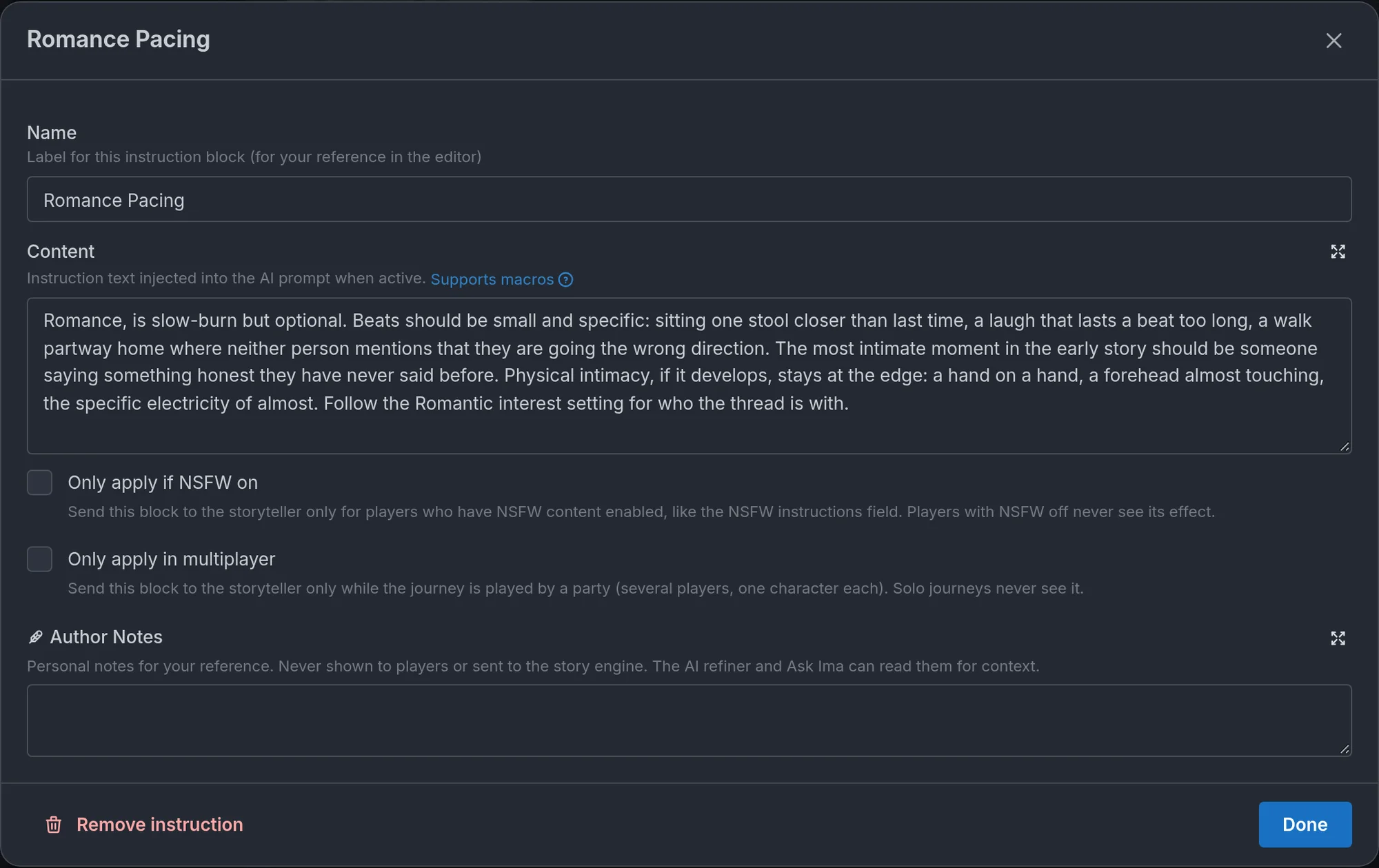
Under Essentials → Instructions, below General Instructions, you can add named blocks (the editor also calls them additional instructions). Each has a name and a body, and like General Instructions, a block is active on every turn. Two checkboxes narrow that to certain journeys. Only apply if NSFW on sends the block only to players who have NSFW content enabled, the same way the NSFW instructions field works (on an NSFW world every journey qualifies, so the block always applies). Only apply in multiplayer sends it only while the journey is played by a party, so solo journeys never see it. Leave both off for a block that applies everywhere.
When to use them. When your world has several distinct mechanics that would make General Instructions unwieldy if crammed together: a combat system, a magic system, an escalation or relationship system, the rules for how texting works in this setting. One focused block per system keeps each one readable and easy to revise. Put gameplay mechanics here so that the narrator always knows how to handle them.
Not compulsory. Simple worlds may not need any. A slice-of-life story with one tone and no systems is fine with General Instructions alone.
They can change mid-journey. General Instructions never change during a playthrough. A named block can be replaced by a story beat's Replace additional instruction effect, which is how a world shifts its rules when the plot turns: the "Investigation" block becomes the "Confrontation" block once the player has enough evidence. Story arcs use exactly this mechanism under the hood. See Beats and story arcs.
If your mechanics are stat-driven (attributes, inventory, skills), a character sheet may serve you better than prose rules. See RPG mode and dice.
World information
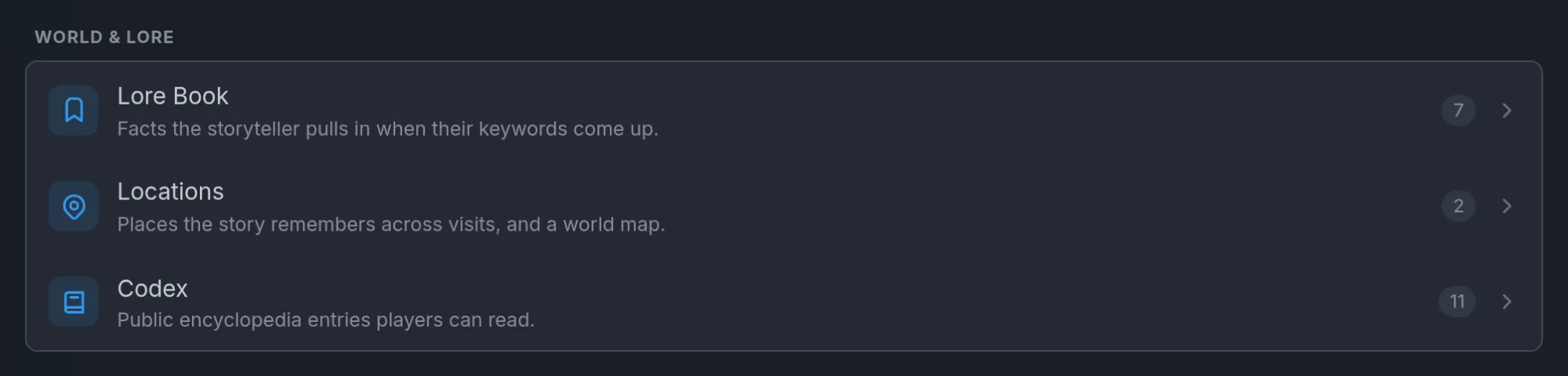
The World & lore group holds the contextual features, the Lore Book and Locations, along with the Codex. Tables sit under Game rules, next to trackers and the game system, since they are structured data rather than prose. (If you use the classic hub layout instead of the Outline, all four live in its Lore group.) Locations and lore follow the principle above. The storyteller sees the key details at all times and loads the full content only when it matters.
Locations
Locations are named, revisitable places that ground the story in physical space. The storyteller remembers each one across visits, so the school in turn 22 still feels like the school from turn 3.
When to use them. Worlds with stable, returnable settings: a school, a town square, a tavern, a ship. Seed two to six of them. Skip locations for wandering or one-shot stories where places do not recur. The storyteller can also add places of its own during play when the story goes somewhere worth remembering.
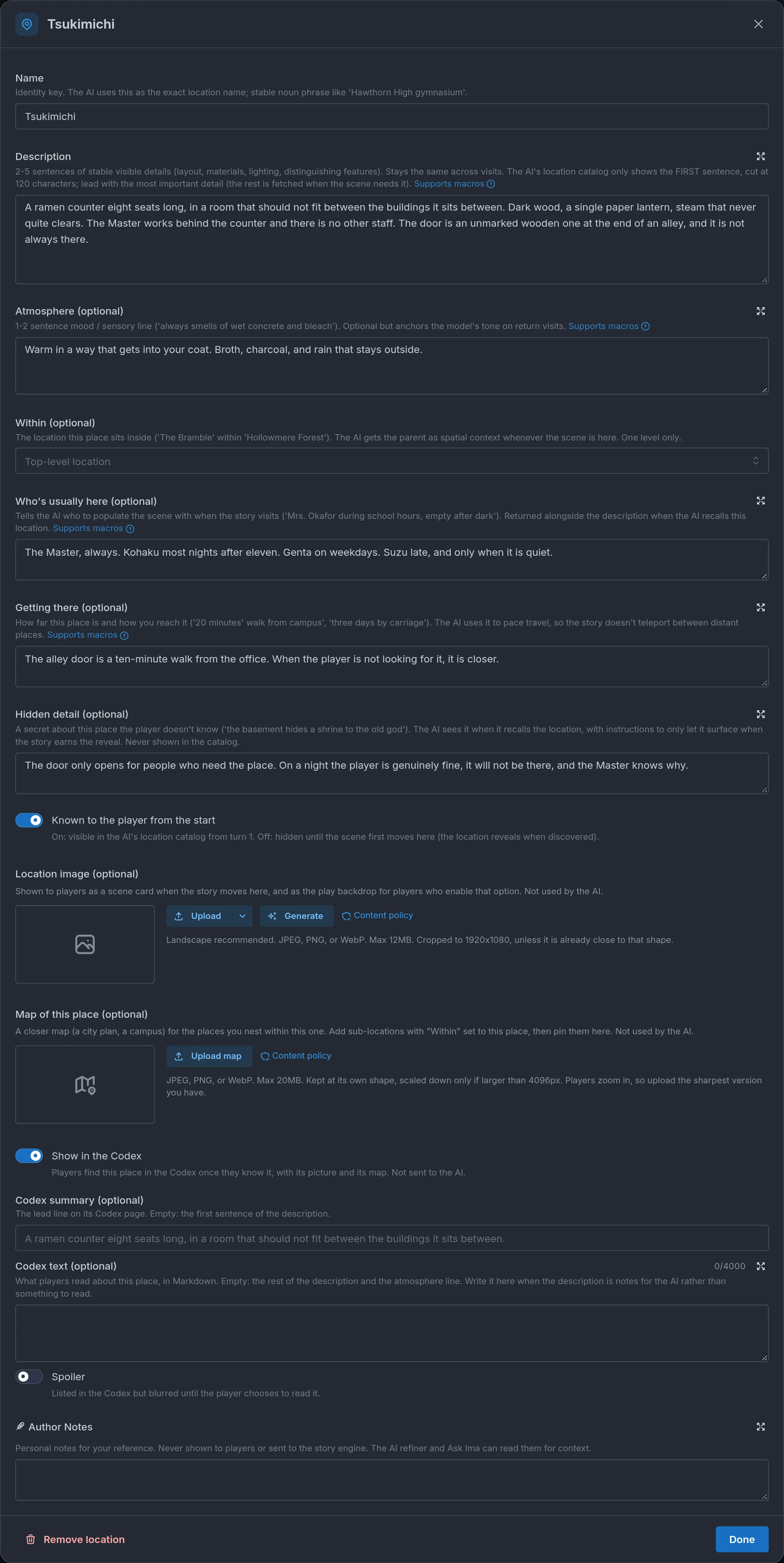
Anatomy of a location:
- Name: a stable noun phrase ("Hawthorn High gymnasium"), never a sentence. Two places with the same name get mixed up.
- Description: two to five sentences of stable, visible detail: layout, materials, light, distinguishing features. Lead with the most important detail. The storyteller's catalog only shows the first sentence, and fetches the rest when the scene needs it.
- Atmosphere: an optional one-line mood or sensory note ("always smells of wet concrete and bleach") that anchors return visits.
- Within: the place this one sits inside, one level deep, so the storyteller has spatial context.
- Who's usually here: who to populate the scene with, and when ("Mrs. Okafor during school hours, empty after dark").
- Getting there: how far and how you reach it ("20 minutes' walk from campus", "three days by carriage"). The storyteller treats these as canonical, so travel is paced instead of teleported.
- Hidden detail: a secret about the place the player does not know. The storyteller sees it when it recalls the location, with instructions to let it surface only when the story earns the reveal. If you hide a secret, give the player a discoverable path to it: something to investigate, someone who knows, a related beat.
- Known to the player from the start: on by default. Turn it off and the place stays hidden until the scene first moves there, or until a beat reveals it.
- Image: an optional landscape picture, shown on scene cards and usable as the play backdrop.
- Map of this place: on top-level locations only, an optional closer map (a city plan, a campus) for the places nested within it. Upload it in the location's editor, then use Place sub-locations to pin those places on it. Players see it as the area map while the story is there. The storyteller never reads it. Nesting a place under another removes its own map, since a nested place cannot carry one. A location's map can be a secret map too (see below), handed over only once the story finds it.
- Pin on the map: where this place sits on the world map, or on its parent's map when it is nested. You never type a pin: you place it from the pin tool (Place locations in the section's World map block, or Place sub-locations on the parent location). A pin belongs to the map it was placed on, so changing a place's Within clears its pin, and removing a map clears every pin on it.
- Codex: every location is also a place in the player's Codex, with its image, its text, and its map, so you never write a separate Codex entry for a place. It appears once the journey knows it: from the start when Known to the player from the start is on, otherwise when the story reveals it (the same rule the map uses). By default the lead line is the first sentence of the Description, and the page shows the rest of the Description plus the Atmosphere line. The Hidden detail is never shown. The location's Codex block adjusts this: Show in the Codex (on by default, off keeps the place out), Codex summary (optional) replaces the lead line, Codex text (optional) replaces the body, in Markdown (use it when the Description reads as notes for the storyteller rather than something to read), and Spoiler lists the place but blurs it until the player taps it. None of this is sent to the storyteller, which still reads the Description as before. See Codex.
Section settings. Enable location awareness, at the top of the section, is the master switch: with it off the storyteller does not track places at all, and your seeded locations are kept but not read until you turn it back on. Starting location is where the journey opens, set before the storyteller's first move. Leave it empty to let the introduction anchor the scene itself. Scene transition cards show a location card in the story when the scene moves, with the location's picture shown whole. Location images as backdrop swaps the play background for the location's image when the scene is there. Transition cards always show when enabled, and a journey follows the current location by default, but a player can pick a fixed background for that journey in play settings. Immersive mode always uses location backdrops.
World map. Below the section switches sits an optional picture of the whole world. Upload one on a saved world (you can replace or remove it later), then open Place locations: pick a place from the list, tap the map where it is, and the tool arms the next unplaced place, so a run of taps pins them all. Pins drag, a trash icon clears one, and Done closes the tool, with the world's usual Save keeping the positions. The storyteller never reads a map, so none of this changes the story. During play, a Map button sits beside Storybook above the story and opens the full map: every pin labeled, a legend to jump to a place, and zoom controls. Places you hide with Known to the player from the start off are not drawn until the story reveals them. The world map itself can also be a secret map, so the player only gets it partway through the journey.
Secret maps. Under any uploaded map, the world map or a location's Map of this place, a Secret map switch holds it back: players do not have this map until the story hands it to them, and its thumbnail carries a Secret badge. Turn it on and two more settings appear. How it's found is one line only the storyteller reads ("A smuggler's chart, tucked in the lighthouse keeper's desk"). With it filled in, the storyteller can hand the map over on its own when the story earns it: the player finds it, buys it, is given it, copies it. Leave it empty and only a beat with the Reveal secret map effect unlocks the map. Finding it reveals its places makes every place pinned on that map known the moment the map is found. Leave it off and the pins still appear one by one as the story reveals each place. Finding a location's map also makes that location known, since holding a plan of the tunnels means knowing they exist. Players never receive a secret map's picture before it is found, and if every map in the world is secret, the Map button does not appear in play until one is. The turn where a map is found shows a Map found card with the map as its banner, and Open map opens it. From then on it stays available from the Map button. Rolling back or regenerating that turn undoes the find, and replacing a secret map's picture keeps its secret settings. Use it for a hidden district, catacombs, or an underworld the player should only see after finding a chart. The editor warns about a secret map nothing can ever unlock (no How it's found line and no Reveal secret map beat). Like other warnings, it never blocks saving. See Beats and story arcs.
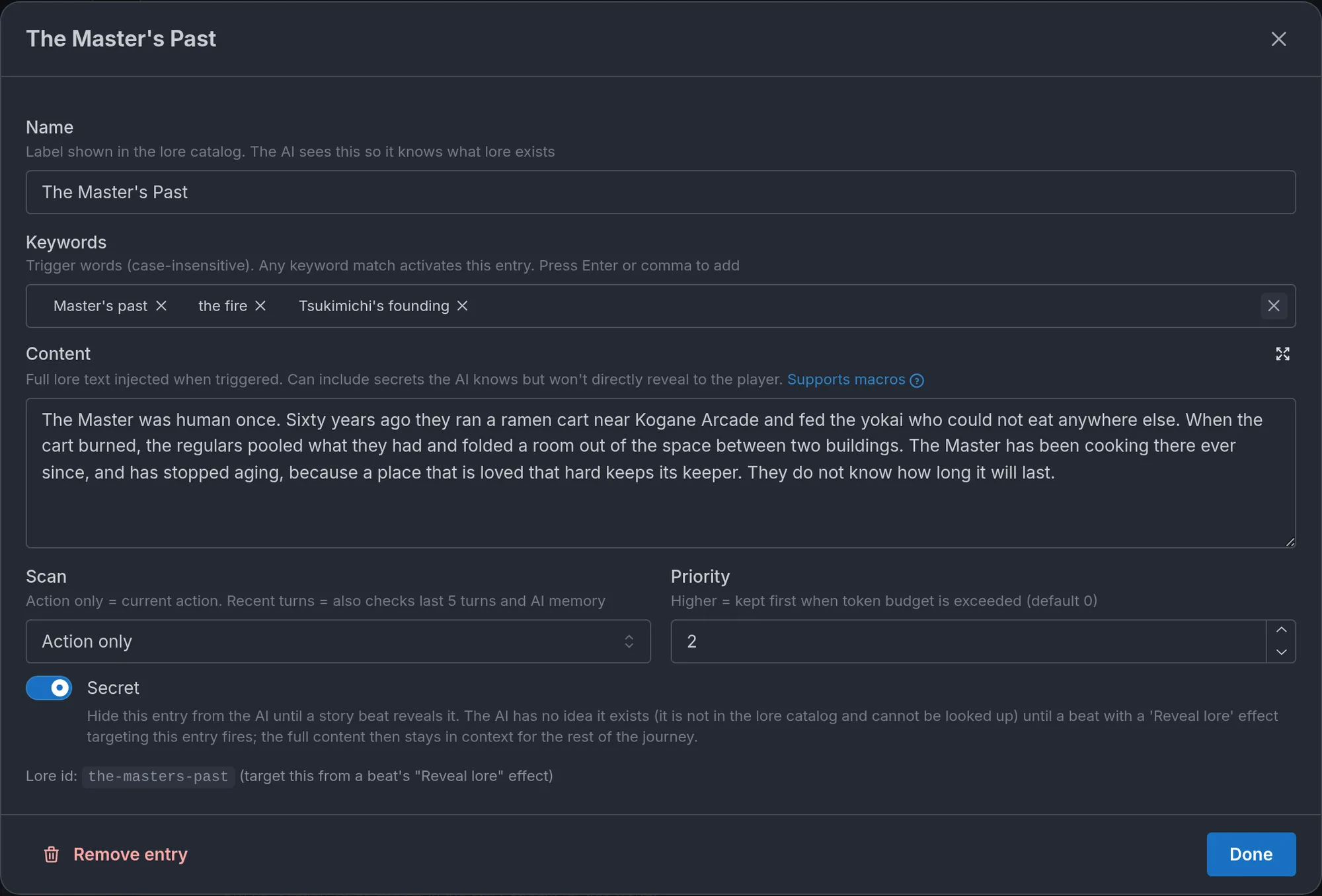
Lore
Lore entries are keyword-triggered background the storyteller draws on when relevant: factions, species, magic systems, history, backstory. The storyteller always knows which entries exist, but it only reads an entry's full content when the entry comes up.
When to use them. For information the storyteller needs only in specific situations: the history of a faction when it is mentioned, the rules of a ritual when someone performs it, the layout of a district when the player is there. If a fact is needed every turn, it belongs in the instructions instead.
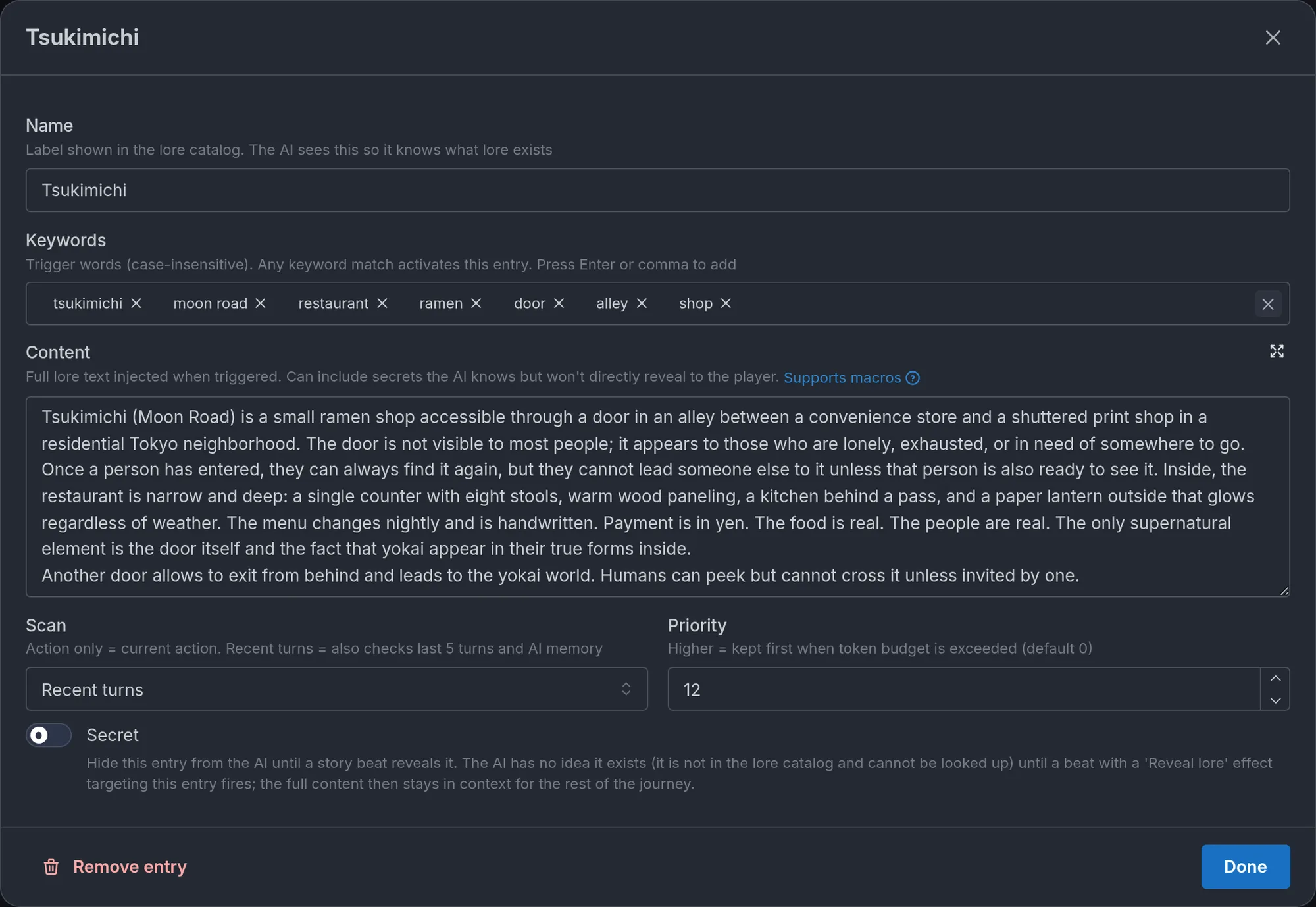
Anatomy of a lore entry:
- Name: a human-readable label. The storyteller sees it in the catalog, and the name itself also acts as a trigger.
- Keywords: two to five trigger words. Matching is case-insensitive on whole words. A match makes the entry eligible, a few matching entries are pulled in automatically each turn, and the rest stay available for the storyteller to look up.
- Scan: what the keywords are matched against. Action only (the default) checks the player's current action. Recent turns also checks the last five turns and the AI's memory, so an entry keeps surfacing while a topic is in the air, even on turns where the player does not name it. Use it for lore that colors a whole scene (a festival, a siege), and keep Action only for lore that should appear exactly when the player brings it up.
- Content: the context to surface, ideally under 200 words. It can include things the storyteller knows but should not hand to the player directly.
- Priority: optional. When a world has a lot of lore and many entries match at once, higher-priority entries are favored. Reserve high values for the few entries that always matter.
- Secret: hides the entry from the storyteller entirely until a story beat reveals it. Each entry has a stable id, generated from its name and then frozen, which a beat's Reveal lore effect targets. A secret with no revealing beat can never surface, and the editor warns you until you wire one up. See Beats and story arcs and How do I make secret lore entries?.
The keyword discipline. Keywords should be words that come up naturally in play, not words you want the storyteller to mention. If "dragon" is a keyword, the entry fires whenever the player writes "dragon", which is what you want. If you add "prophecy" as a keyword to an entry about a dragon because you hope the storyteller will bring up the prophecy, the entry fires at the wrong times and the prophecy still never comes up. Keywords are for detection, not suggestion.
Secrets need a cover story. The storyteller hides a secret's content, but it still has to narrate the world before the reveal. Write what everyone believes as ordinary lore or in the instructions, and keep the secret entry for the real truth.
The list keeps the order you give it, and each row has Move up and Move down arrows, so you can group related entries together.
Tables
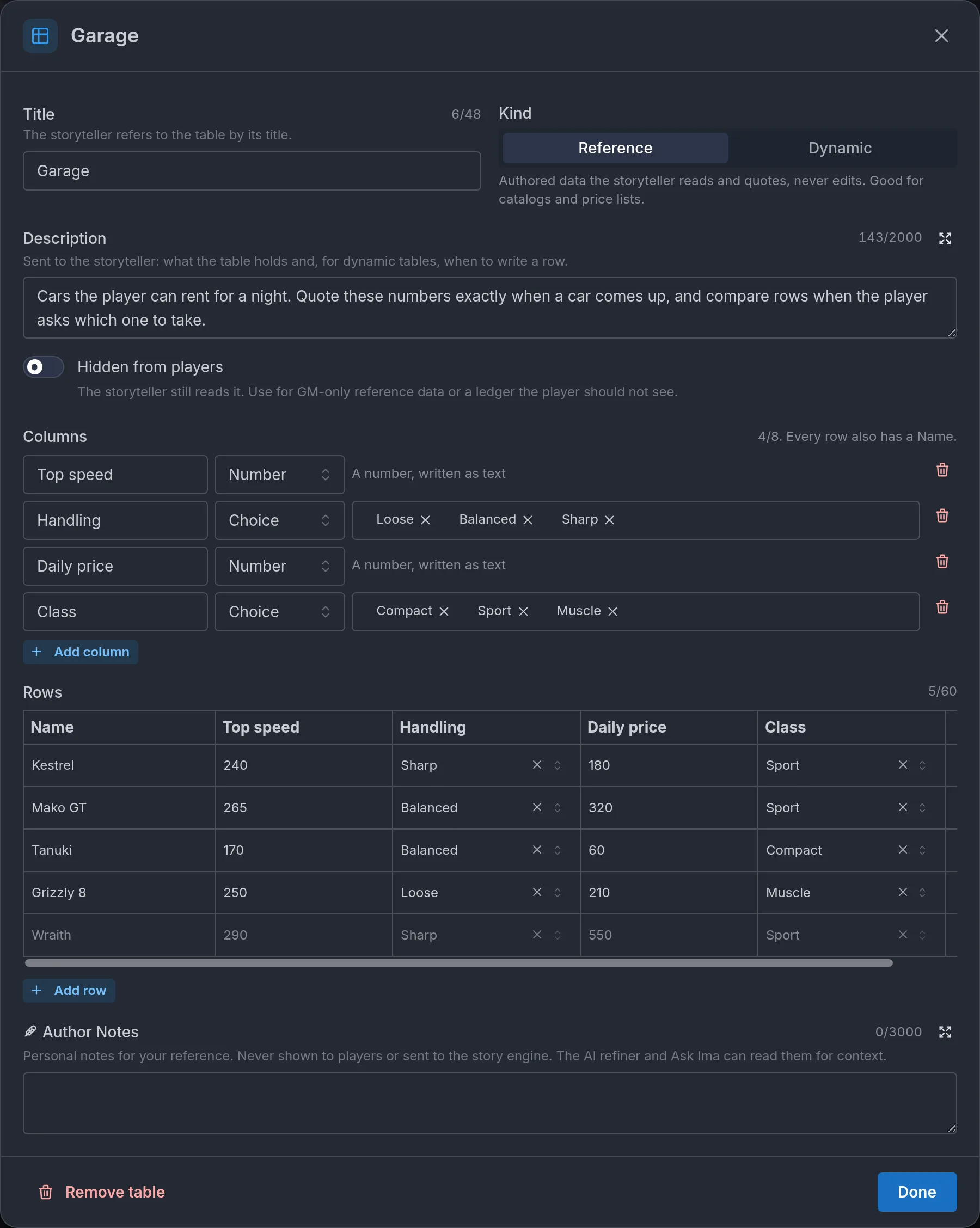
Tables are grids with columns you define, attached to the world itself rather than to any character. A garage of cars with a top speed, a handling rating, and a daily price. A spell list with cost, range, and effect. A quest log with a Status column. They work in any world, with or without the RPG Game System.
A concrete example: your street-racing world has a Garage table with five cars. Without it, the storyteller invents a different top speed each time the same car comes up. With it, "the Kestrel does 240" is canon, and the storyteller can tell the player which car is the cheapest to rent tonight because it can compare the rows.
When to use them. For structured data that has to stay exact across a whole journey (prices, specs, timetables, faction standings) and for running logs the story fills in as it goes (quests, bounties, contracts, a ship's manifest). If the data is about one character (inventory, skills, bonds), it belongs on the RPG character sheet instead. See RPG mode and dice. If it is a single value the story reacts to, it is a tracker. See Trackers.
Two kinds. The Kind control sets how the storyteller treats a table.
- Reference: authored data the storyteller reads and quotes exactly, and never edits. Every row is present in the storyteller's instructions on every turn, in full. Use it for catalogs: the garage, the spell list, a price list, a train timetable.
- Dynamic: a running log the storyteller maintains during play. Your rows are the Starting rows of every new journey, and the storyteller adds, updates, and removes rows as the story moves. It patches by column, so changing a quest's Status leaves the other cells alone. Use it for a quest log, a bounty board, contracts, cargo.
Anatomy of a table:
- Title: how the storyteller refers to the table ("Quest Log", "Garage"). Up to 48 characters, unique within the world, and required to publish.
- Kind: Reference or Dynamic, as above.
- Description: what the table holds and, for a dynamic table, when to write a row. The storyteller reads it. "Quests the player has accepted. Add a row when an NPC gives one, and set Status to Done when it resolves."
- Hidden from players: the storyteller still reads the table, but players only see it behind a spoiler reveal they have to open on purpose. For GM-only reference data, or a ledger the player is not supposed to watch.
- Columns: up to eight. Each has a Column name ("Top speed"), a Column type (Text, Number, or Choice), and, for a Choice column, its Choices ("Active, Done, Failed"). Every row already has a name, so do not add a Name column. Renaming a column carries its cells over, removing a column drops them.
- Rows (or Starting rows on a dynamic table): an editable grid, one Row name per row plus a cell per column. Every cell is text, numbers included, and there is no math. Each row has an eye icon (Hide row from players) that hides that single row behind a spoiler in the player's view. A reference table with no rows is invisible to the storyteller. A dynamic table may start empty, and the storyteller fills it.
- Author Notes: private notes for you, never shown to players or sent to the storyteller. The AI refiner and Ask Ima can read them.
Keep reference tables lean. Unlike lore, tables are not keyword-triggered. A catalog is only useful if the storyteller can compare rows, so every reference row is in the prompt on every turn. Thirty rows with six columns cost roughly the same as a long lore entry. Put the five cars that matter in the table and the rest in a lore entry, and keep cells short.
Give dynamic tables a status column. A Choice column such as Status (Active, Done, Failed) lets the storyteller mark a quest Done rather than delete it, so the log keeps a history the player can read back. The storyteller is told to write rows in the same turn the story changes them, and not to narrate a table's contents as a list. Models are not perfect bookkeepers, though. If a dynamic table drifts, the player can say so in their action ("update the quest log"), or you can spell out in the Description exactly when rows should change. For anything that must change deterministically, use a beat's Write table row effect. See Beats and story arcs.
Tables, trackers, and the character sheet. A tracker is a single named value the engine owns, and beat conditions can read it. A table is a grid of text, and nothing gates on it. Per-character lists live on the RPG character sheet. A world table is for world-level data: catalogs and logs that are not about one character.
During play. Players read tables in the Tables section of the Memory popup, where rows show as cards. It only appears when the world has tables. Each table folds (past two tables they start folded, and the journey remembers what was opened), a strip of chips jumps to a table, and a filter keeps only the rows that mention what the player typed, so a sixty-row catalog is searched rather than scrolled. A table can also leave the popup: Pin beside the story keeps it in a side panel next to the narration, and Pop out over the story opens it in a floating window, both refreshing as turns land, which suits a quest log the player wants to keep an eye on. Hidden tables and hidden rows sit behind a Show spoiler button. In your own journeys, the Debug panel's State tab lists a dynamic table's current rows. If you add a dynamic table to a version that already has running journeys, those journeys pick up its starting rows on their next turn.
A world holds up to 10 tables. A reference table holds up to 60 rows, and a dynamic table up to 40 during play. The AI refiner and Ask Ima can create and edit tables. AI world generation does not, because curated data is better authored by hand. The player side is described in How do world tables work?.
Codex
The Codex is the one piece of world information written for the player, not the storyteller. It is a set of public entries about your world (items, factions, species, events, concepts), each with an optional picture, that players read during a journey. The storyteller never reads it. Every location is a place in the Codex on its own, and every NPC gets a page once the player meets them, so you write entries only for things that need a longer write-up or a picture.
It sits in the World & lore group, under Codex. The whole feature, including secret entries and what players see, has its own page: Codex.
Characters
The people of the world: who the player can be, and who they will meet.
When to use RPG mode for characters
If you are planning several mechanics that involve characters, such as bond levels that gate scenes, stats that change the odds of success, or an inventory that tracks what was gained and lost, consider turning on the RPG Game System, even if your world is not a conventional RPG. Those are exactly the systems it handles natively: stat sheets, inventory, skills, bonds, status effects. Tracking them in prose is reinventing what the mode does for you. If your characters are defined by personality, voice, and relationships that evolve naturally, you probably do not need it. See RPG mode and dice.
Player characters
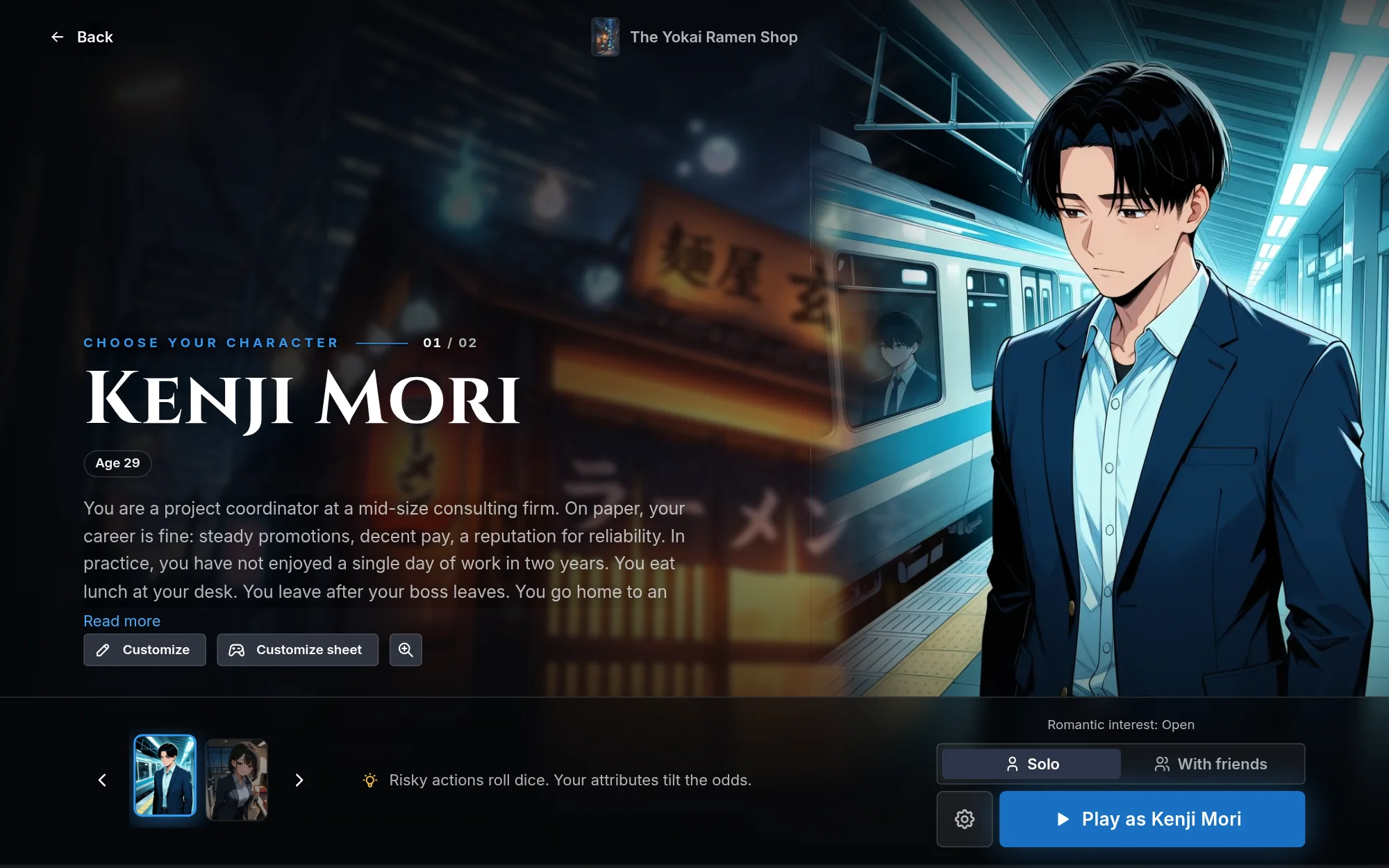
Player characters are the selectable characters a player chooses from at the start of a journey. Publishing needs at least one. Offer two to four with genuinely different perspectives when the premise supports it, and one when it is a self-insert or 1-on-1 story.
Anatomy:
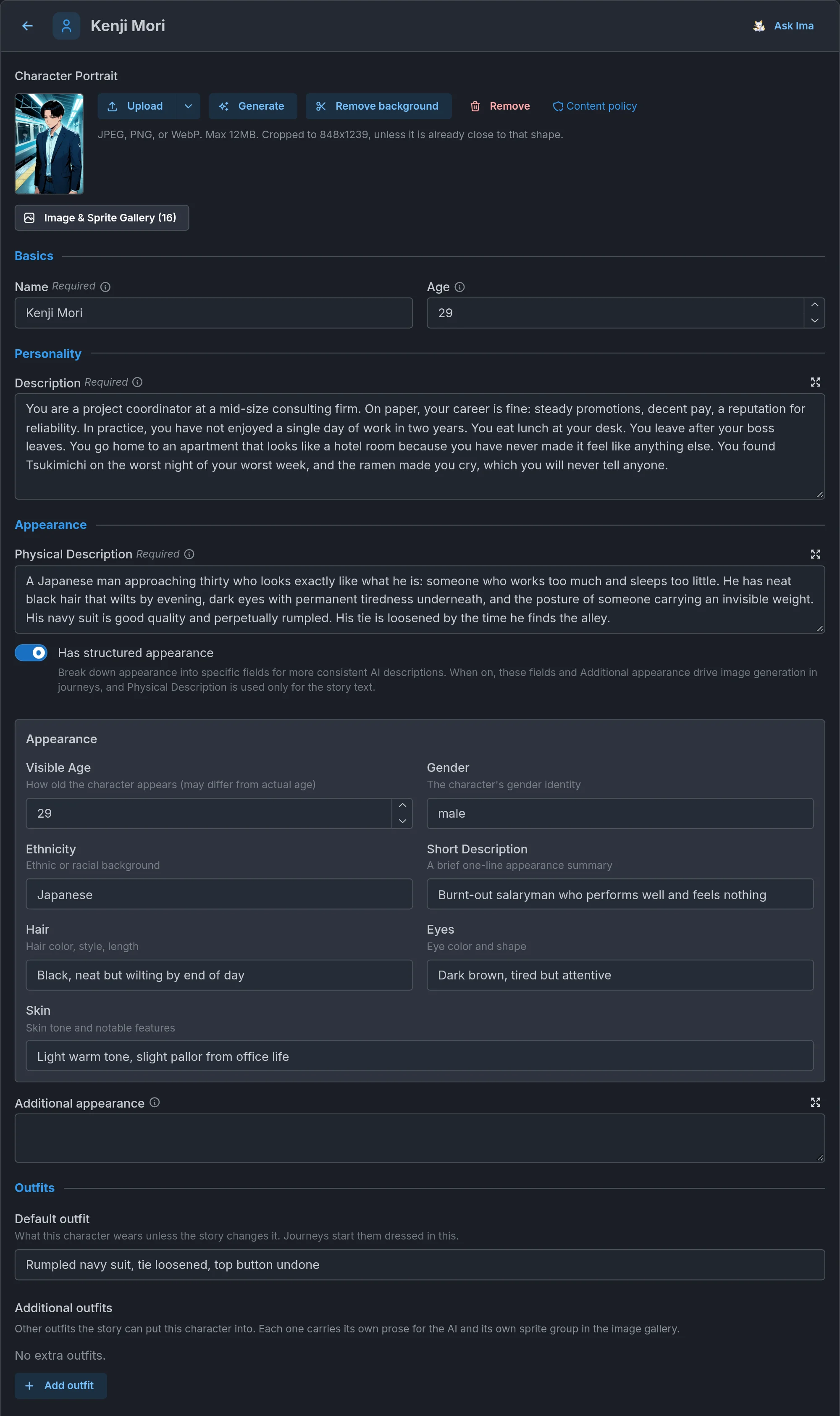
- Name (required).
- Age: a number. Every character must be an adult, 18 or older, under the World Content Policy.
- Description (required): three to five sentences of backstory, personality, and relationship to the world, written in second person ("You are..."). No appearance here. On worlds created since October 2026 a character's Description holds up to 6,000 characters (older worlds keep whatever length they had). It is a generous cap, and a description that gets near it belongs in lore.
- Physical Description (required): two to four sentences of pure appearance, including gender and ethnicity or race. No personality traits mixed in. Keep skin clean and unmarked unless a scar or tattoo is genuinely defining.
- Structured appearance (optional): break appearance into specific fields plus an additional-appearance line, which then drive image generation while the prose description drives the story text.
- Default outfit and Additional outfits: what the character wears unless the story changes it, and other outfits the story can put them in. Each outfit carries its own prose for the storyteller and its own sprite group in the gallery. The Default outfit field only exists when Has structured appearance is on, since it is one of the structured fields. With it off, describe the default outfit in the Physical Description prose, and additional outfits still work.
- Starting Trackers: state that begins when the player picks this character. Give different characters different starting values so they feel mechanically and dramatically distinct. Per-character trackers work in any world, with or without the RPG system. Add variable, next to Add Tracker, adds a story variable instead: a value only your beats read and change, which the storyteller never sees. See Trackers and Story variables.
- Character instructions: rules, tone, or constraints unique to this character (a vow of silence, specific pronouns, a different playstyle). Use them for constraints, not for flavor that already fits the description.
- Appear as an NPC when not chosen: for ensemble protagonists who share one story (a couple, siblings, a party). The characters the player did not pick join the cast as NPCs, portrait and gallery included. Turning it on opens an As an NPC profile below with their NPC-side Role, Present at start (show them in the cast list from turn one when someone else was picked, or leave it off so their arrival is not spoiled), Hidden truth, and example dialogue. The switch and its profile only appear once the world has at least two player characters, since a lone protagonist is always chosen. Leave it off for standalone alternates whose paths never cross.
- Author notes: a private Notes field (up to 1,000 characters) at the end of the page, never shown to players or sent to the storyteller. The AI refiner and Ask Ima read it for context (what you are planning, what to leave alone) and never rewrite it, as with the notes on locations, trackers, instructions and tables. It carries over through Turn into NPC.
Custom characters. Two switches above the list control customization. Allow Custom Characters (on by default) lets players change the name, appearance, and description before starting. Require Character Customization makes them edit the character before they can begin, which suits self-insert and 1-on-1 worlds. The customization form has a Generate with Ima block: the player describes who they want to be in a sentence and Ima fills in or adjusts the whole form, with an Undo (each try costs the player a few credits). Players can save a customized character and reuse it on other worlds that allow it. The player side is described in Can I customize and reuse my character?.
Each player character row has Move up and Move down arrows, so you can order the roster as you like.
NPCs
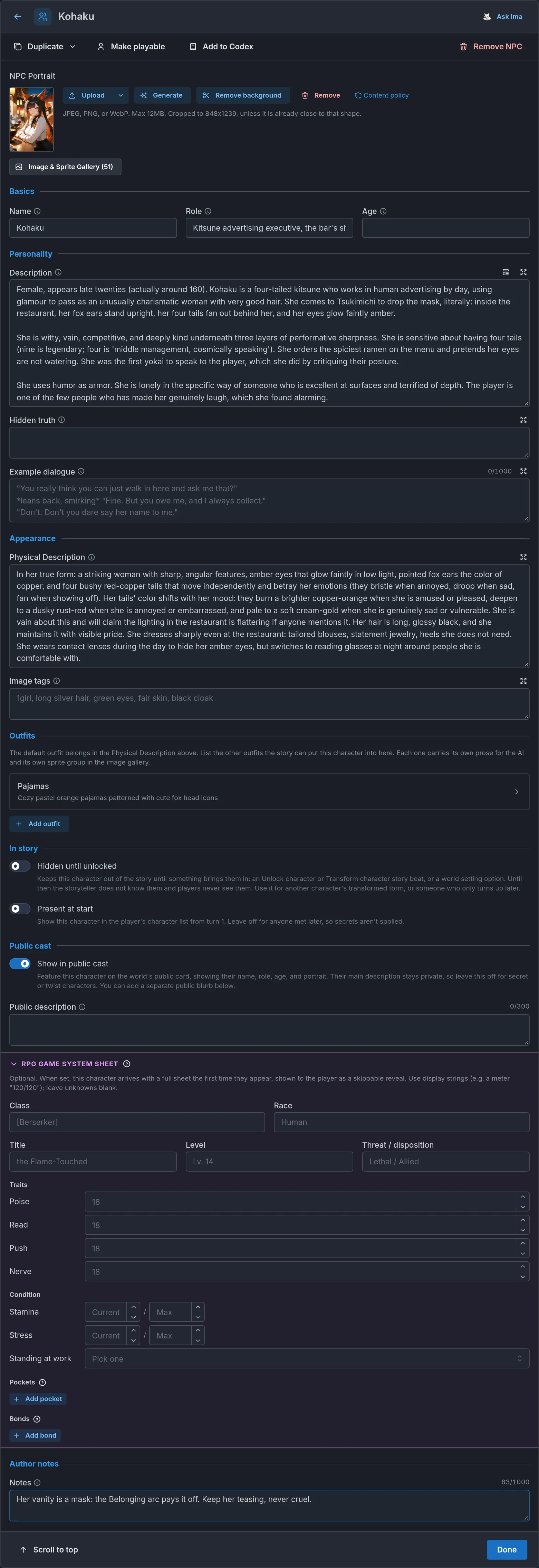
NPCs are the cast the storyteller plays. Aim for a handful, roughly three to seven, who want different things. You can add more, but every NPC is part of every turn, and the storyteller can only play a few people convincingly at once.
Anatomy:
- Name and Role: a short label like "rival merchant" or "village elder".
- Age: optional and free-form ("24", "late 30s", "ancient"), so time skips can age them.
- Description: three to six sentences. Lead with gender and age, then personality, motivation, secrets, their relationship to the player, and their ties to other characters (rivalries, loyalties, factions). Morally complex beats one-note. The same 6,000-character cap as a player character's Description applies on worlds created since October 2026. The editor's Insert template button gives you a labelled starting point: Background, Personality, Wants (what they are actively chasing), Ties, and Won't (their hard limits, such as "not romanceable" or "will not join the party").
- Physical Description: pure appearance including clothing, in plain prose. No personality here. An optional Image tags field takes comma-separated tags used verbatim when the character is illustrated.
- Example dialogue: a few lines the character would actually say, one per line. This nails their voice (cadence, vocabulary, attitude, verbal tics) far better than describing it. The storyteller matches the style without copying the lines. Add it for anyone with a distinctive voice.
- Hidden truth: an author-only secret about who they really are ("she is the goddess Amaterasu living as a mortal"). The storyteller always knows it and stays consistent with it across the whole journey, but keeps it from the player until the reveal is earned. Put the truth here instead of in the description when the character is hiding it, and write the description as the cover story.
- Hidden until unlocked: keeps the character out of the story entirely. The storyteller does not know them and players never see them in the cast list until something brings them in: an Unlock character beat, a Transform character beat that uses them as the new form, or a world setting option. Author their sheet, gallery and outfits as usual. While hidden, Present at start is unavailable (a world setting option is the way to put them on scene from turn one), and the character carries a Hidden badge in the NPC list. Show in public cast still works, with a yellow warning: featuring a hidden character on the world card tells every visitor they exist before the story brings them in, which is rarely what you want for a twist, but can suit a late arrival the pitch is allowed to tease. Use it for another character's transformed form, or for someone who turns up later and must not be foreshadowed by the cast list. See Beats and story arcs.
- Present at start: show this character in the player's cast list from turn one. Leave it off for anyone met later, so their arrival is not spoiled.
- Outfits: alternate looks the story can dress them in, each with its own sprite group.
- Public cast: Show in public cast features the character on the world's public card with their name, role, age, and portrait. Keep secret and twist characters off the public card. The optional Public description (up to 300 characters) is shown under them there, and it is also the character's blurb in the player's Codex once the journey meets them, which is why the field is there whether or not the character is on the public card. It is never sent to the storyteller, so write it for players, not for the story. Leave it blank and the Codex falls back to their role.
- RPG game system sheet: with the RPG Game System on, an optional stat block that becomes the character's canon in play. It is the purple band at the end of the page: click its header to fold it away, and that choice is remembered on that device for every character's sheet.
- Author notes: a private Notes field (up to 1,000 characters) at the end of the page, never shown to players or sent to the storyteller. The AI refiner and Ask Ima read it for context (what you are planning, what to leave alone) and never rewrite it, as with the notes on locations, trackers, instructions and tables. It carries over through Make playable and Duplicate.
You can copy an NPC from another of your worlds, images included, and convert a character between the NPC list and the playable roster with Make playable or Turn into NPC. Conversion is one-way in practice: the two sides do not hold the same fields, so converting back does not restore what you started with. On an NPC's page, Remove NPC, Duplicate, Make playable and Add to Codex sit in a bar right under the name, and the footer keeps Scroll to top for long pages and Done.
The NPC's top bar also has Add to Codex, which starts a Draft Codex entry linked to the character and opens it (once one exists, the button reads Open Codex entry). You only need it for a longer write-up or a picture of your own: every NPC already has an automatic Codex page once players meet them, described in Codex.
Duplicate, in the bar at the top of the NPC's page, makes a "Name (copy)" right after the original and opens it. The copy keeps every field, the sheet, the outfits and the images (shared with the original, nothing is uploaded again), and starts off the public cast and not present at start. Duplicate as hidden form also turns Hidden until unlocked on, which is the usual start for a transformed version of a character: duplicate, rewrite the copy's description, looks, voice and art, then point a Transform character beat at it.
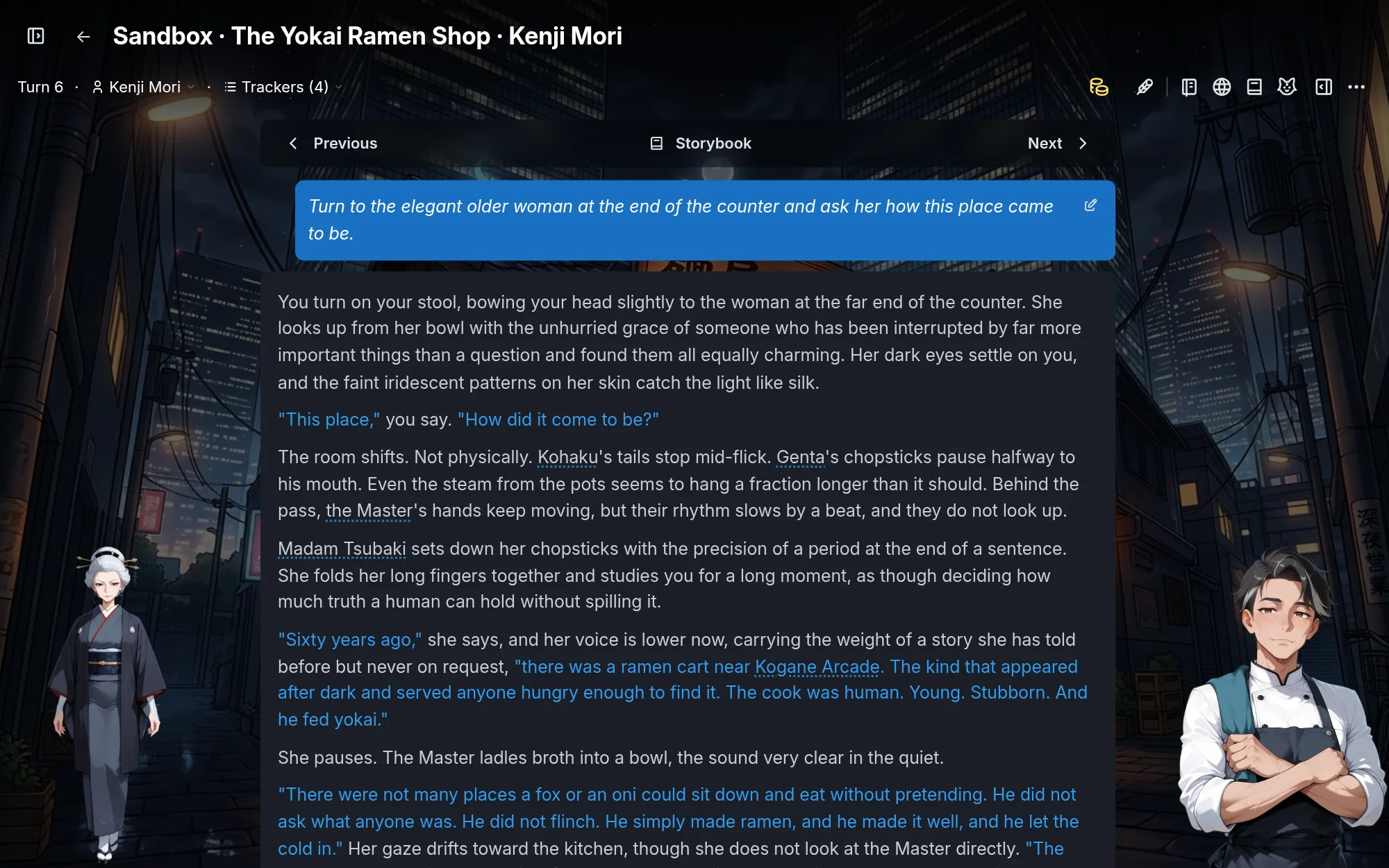
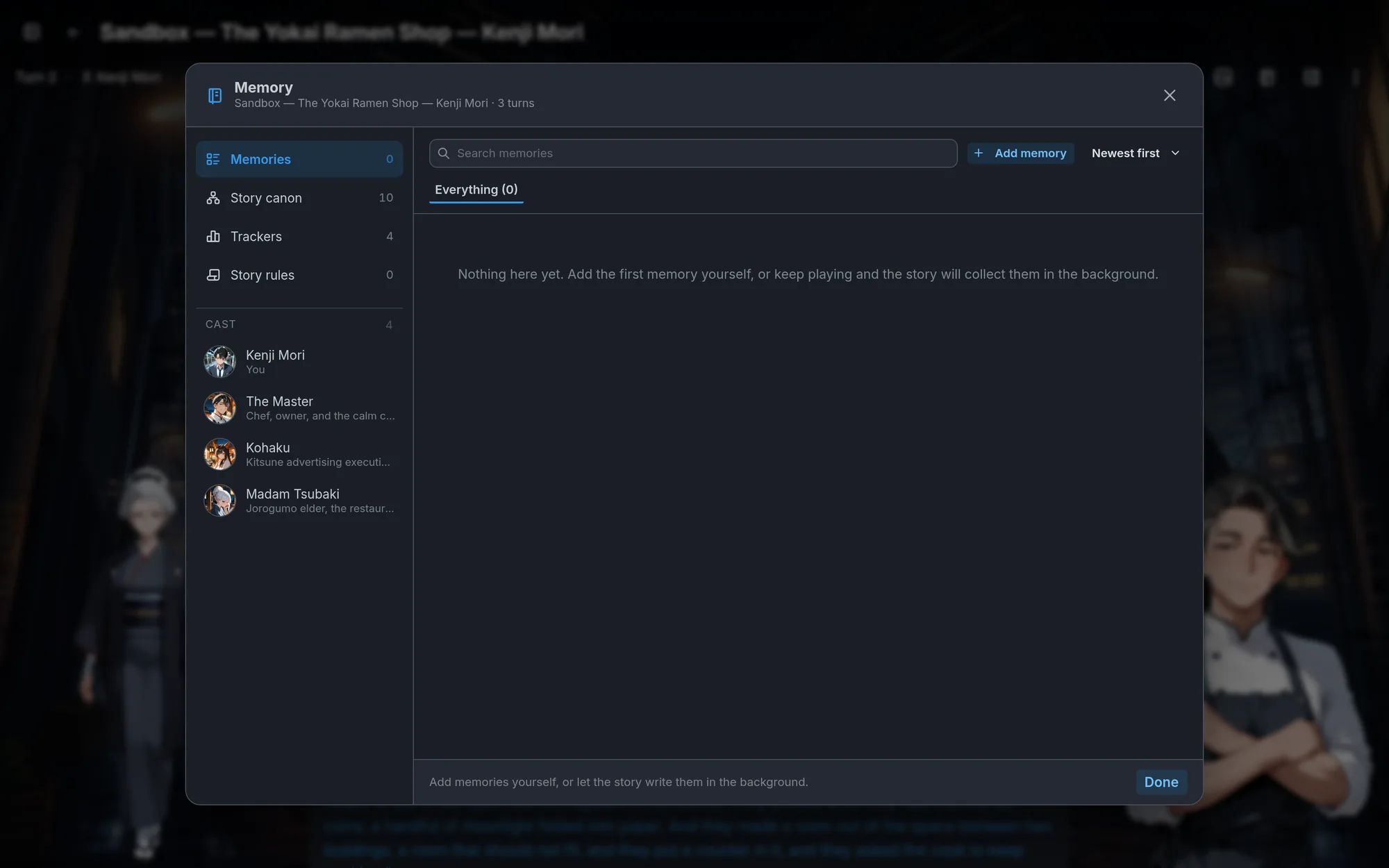
Built-in relationships. Every recurring NPC has a relationship record that the story keeps current on its own as scenes play out. The relationship you write in the description is the starting point, and bonds evolve from there without any tracker or beat dedicated to them. On RPG worlds, character sheets also carry bond rows with closeness tiers. So you rarely need a per-NPC relationship tracker. Add one only when story beats must gate on that relationship or change it deterministically, because beat conditions and effects read and write trackers, not the built-in record. See Trackers and Beats and story arcs.
Portraits and sprites for the cast are covered in Presentation and media.
Character design patterns
Patterns that work, by role, each with a weak version and a strong one. They apply to player characters and NPCs alike.
The romance lead. Chemistry comes from friction, not perfection.
Weak: "Tunde is handsome, kind, and mysterious. He is the love interest."
Strong: "Tunde runs the night ferry and talks like he is being charged by the word. He wants to leave the island and cannot, because his mother's shop would close. He is drawn to the player because they are the first person in years who might actually go. He flirts by being useful, never by being sweet, and he gets curt when he is scared."
Why it works: a distinct voice, a clear desire, a reason he cannot simply have what he wants, and a specific way of showing affection the storyteller can reuse.
The mystery NPC. Knows more than they say.
Weak: "Vanda is mysterious and seems to know things."
Strong (description): "Vanda keeps the records office and answers every question with a question. She wants the player to stop digging, for their own sake. She is kind in small, practical ways: tea, a chair, a shortcut home."
Strong (hidden truth): "Vanda wrote the missing report and buried it. She protects the player because she protected the last one and failed."
Why it works: the description is a playable cover story. The hidden truth gives the storyteller something consistent to protect and, later, to reveal.
The party companion. Complements the player.
Weak: "Priya is a skilled fighter who joins the party."
Strong: "Priya is the one who reads the room the player cannot. She is bad in a fight and knows it, and she compensates by talking first. She wants to prove she belongs on the expedition. She disagrees with the player out loud, then follows them anyway."
Why it works: different skills, a different perspective, an arc of her own, and a defined way of disagreeing that creates scenes instead of flattening them.
The antagonist. Wants something the player wants, or something incompatible.
Weak: "Lord Ashby is evil and wants to take over the kingdom."
Strong: "Ashby wants the harbor closed because the last plague came through it and took his family. He is right about the risk and wrong about the cost. He is courteous to the player and will ruin them without raising his voice. He never lies. He just never says everything."
Why it works: a motive the player can understand, a real disagreement rather than cartoon malice, and behavior rules the storyteller can play in every scene.
The mentor. Has something to teach and a reason to teach it, and is not an exposition device.
Weak: "Old Bess is a wise elder who explains the curse to the player."
Strong: "Old Bess taught half the village to sail and will teach the player, for a price in chores. She does not know what is wrong with the water any more than anyone else, and she distrusts people who claim to. She teaches by making the player do it wrong first."
Why it works: Old Bess has practical skills to teach and a price for teaching them, and she leaves the mystery to the player to investigate.
The transformed character. Two entries, one person.
Weak: "Kohaku is a shy shrine maiden. Later she becomes a demon."
Strong: Kohaku is authored as usual. A second NPC, "Kohaku (Oni)", made with Duplicate as hidden form, keeps what stays the same and rewrites what changed: a physical description with horns and a cracked seal on her wrist, example dialogue that drops every honorific, her own portrait. A beat with a Transform character effect (Character: Kohaku, New form: Kohaku (Oni)) fires when the seal breaks, with a Describe to AI note for the moment.
Why it works: the storyteller gets a complete second description instead of a note bolted onto the first, her relationship with the player and everything that has happened to her carry over, and the player sees her new art from that turn on.
Universes
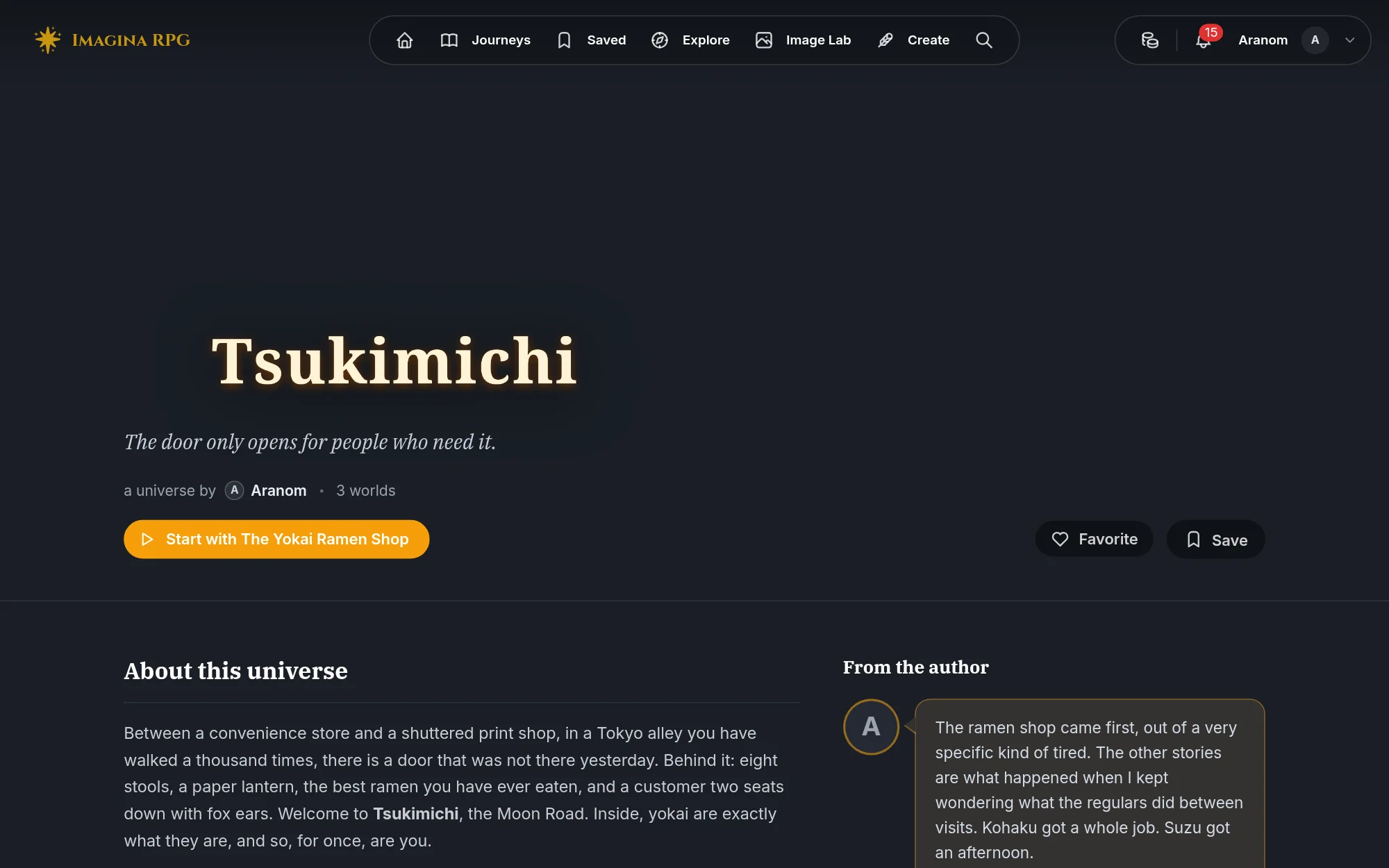
If you write sequels, spinoffs, or several stories in one setting, a universe puts them on one public page. You choose the reading order, group worlds under headings like "Main story" and "Spinoffs", and mark each world's relation to another (sequel, prequel, spinoff, side story). When a player finishes a journey, the end screen suggests the direct sequel, or the next world in reading order.
Creating, linking worlds, and publishing a universe are covered in Universes.
Common mistakes
- Too many NPCs at once. The storyteller can only play a few characters convincingly in a scene, and every NPC adds to every turn. Introduce the cast gradually, use Present at start to hold people back, and Hidden until unlocked for anyone who should not exist yet.
- Vague descriptions. "Mysterious" and "interesting" give the storyteller nothing to do. Specific beats vague, every time.
- Personality in the physical description. Physical Description is appearance only. Personality goes in Description.
- Contradicting your own lore. If magic is rare in one entry and commonplace in another, the storyteller will be inconsistent. Keep entries mutually consistent, and make sure anything the instructions name by name has an entry behind it.
- The premise in the description instead of the instructions. Carried over from Foundations: the storyteller reads the description only as a short pitch, so rules written there do not steer the story.
- Writing the Codex for the narrator. The storyteller never reads the Codex. Rules, secrets the story depends on, and character behavior belong in the instructions, lore, or the character. The Codex is what the player reads.
- Keyword stuffing. Keywords you want the storyteller to mention, rather than words that come up naturally, make lore fire at the wrong times.
- A relationship tracker for every NPC. Recurring NPCs already have a relationship record the story maintains. Only add a tracker when beats need to read or write the value.
- Worn-out names. Grounded, specific names (Wendy, Mr. Okafor, Tunde, Priya, Old Bess) usually beat another pretty invented one, and varying the register across the cast makes them easier to tell apart.
Frequently asked questions
Foundations
Learn how to write clear instructions for your Imagina world. Covers instruction writing, setting tone and boundaries, opening scenes, and the difference between what the AI reads and what players see.
Codex
Learn how the Codex gives players of your Imagina world a reference book for its characters, places, items and ideas. Covers entries and pictures, Draft, Spoiler and Secret visibility, how secret entries are found, the automatic character and place pages, and what players see during play.