Foundations
Learn how to write clear instructions for your Imagina world. Covers instruction writing, setting tone and boundaries, opening scenes, and the difference between what the AI reads and what players see.
This page covers the craft: getting clear on your idea, writing instructions a storyteller can follow, opening the story, and knowing what the storyteller reads versus what players see. Characters, lore, trackers, beats, RPG rules, and visuals each have their own page.
If you have not read Creating worlds yet, it is a short map of the whole section.
Start with your idea
Before you open the editor, write a few lines on each of these four things.
- Core premise. What is the world about? One or two sentences: genre, setting, central tension. "A coastal town where the lighthouse keeper's job is to keep something out, and the new keeper does not know what."
- Tone and experience. What should it feel like to play? Cozy and slow? Tense and procedural? A game with stats, a visual novel, a chat with one character? Creating worlds lists the kinds of experiences Imagina supports, and the choice shapes which features you will use.
- The player character. Who is the player? A defined character with a history, or a blank slate the player fills in? Both work. A defined character gives the storyteller more to react to. A blank slate suits self-insert stories.
- Scope. What is in, and what is out. A first world does not need a continent. One town, five people who want different things, and a problem that gets worse if ignored is plenty. You can expand later.
What makes a world do well
Worlds that keep players coming back tend to share a few traits. Aim for these and you are most of the way there.
- A clear premise. Within the first turn, the player understands what kind of story they stepped into.
- Strong instructions. Specific, tonally consistent, with clear boundaries. This is the main event, and the next section is all about it.
- Well-defined characters. Distinct voices, clear motivations, and relationships the storyteller can play. See Worldbuilding and characters.
- Appropriate scope. A world that does a few things well beats a sprawling one that does everything loosely. The editor shows a size gauge under your world's name, and a Light or Medium world is a good target. Bigger worlds cost more per turn, and smaller models follow them less reliably. See What do Light, Medium, and Heavy worlds mean?.
- Tested, not assumed. The creator playtested, read what the storyteller actually did, and refined. Nobody gets it right on the first save.
Writing instructions
Instructions are the storyteller's standing brief. Players never see them. They define tone, boundaries, narrative style, perspective, and how the world behaves. You will find them under Essentials → Instructions, and they matter more than any other field.
The two forms
General Instructions is the world bible. It is always in front of the storyteller, every turn. A good one runs a few hundred words of markdown with headers, not a wall of text, and covers the core themes, the world's rules, the key dynamics and conflicts, how the cast behaves, and any special mechanics.
Named instruction blocks sit under it (the editor also calls them additional instructions). Each has a name and a body, and each is active every turn by default. Use them to split distinct rule sets out of the bible: a combat block, a magic block, a block for how texting works in this setting. Several focused blocks are easier to maintain than one long one. An active block is read every turn, so keep the total tight. Two checkboxes narrow when a block applies: Only apply if NSFW on sends it only to players who have NSFW content enabled (in an NSFW world every journey qualifies, so it changes nothing there), and Only apply in multiplayer sends it only while a party is playing the journey. The list marks gated blocks with NSFW only and Multiplayer only chips. Naming a block also lets a story beat replace its content mid-journey, which is how a world can change its rules when the plot turns. Worldbuilding and characters covers them in more depth.
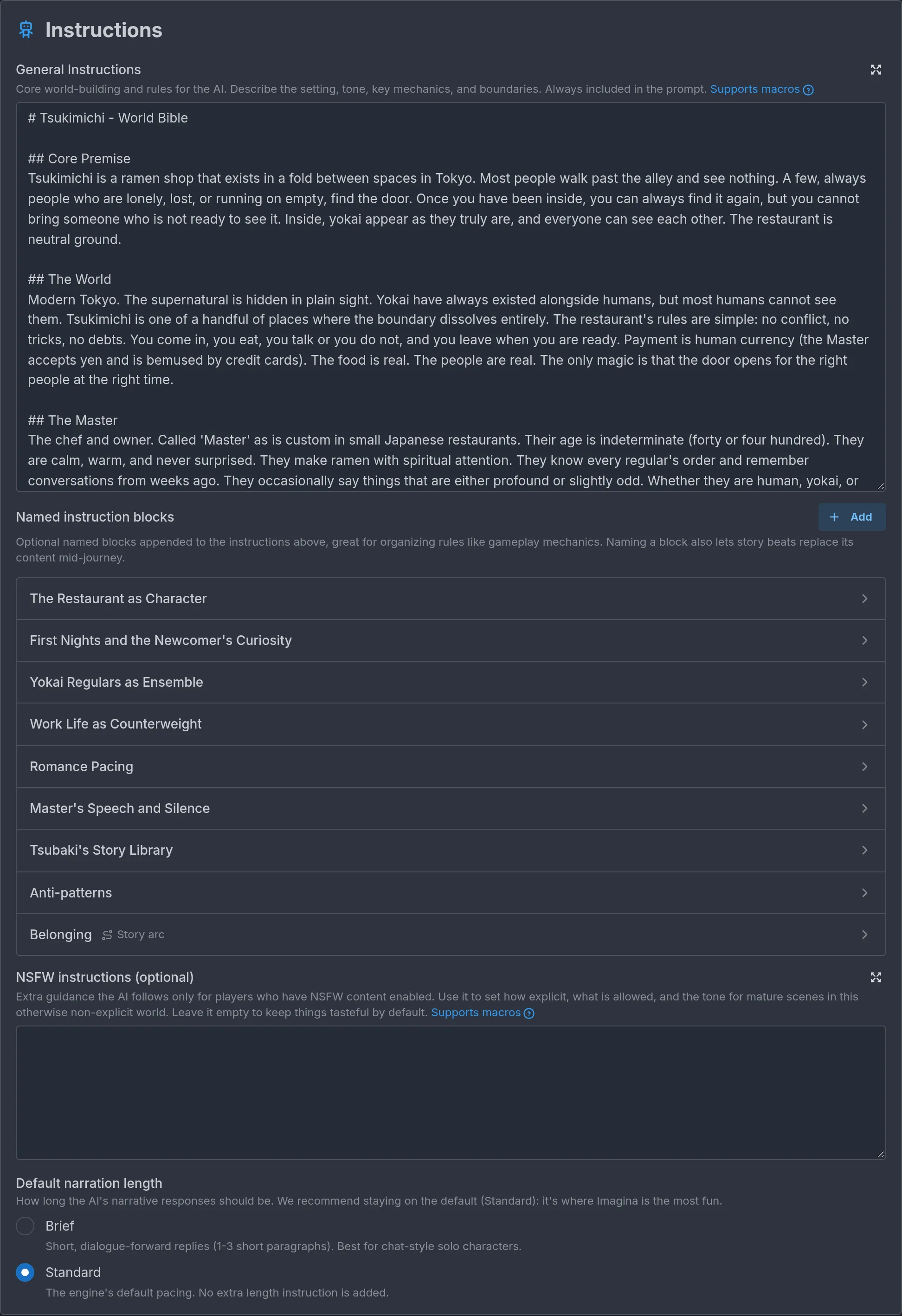
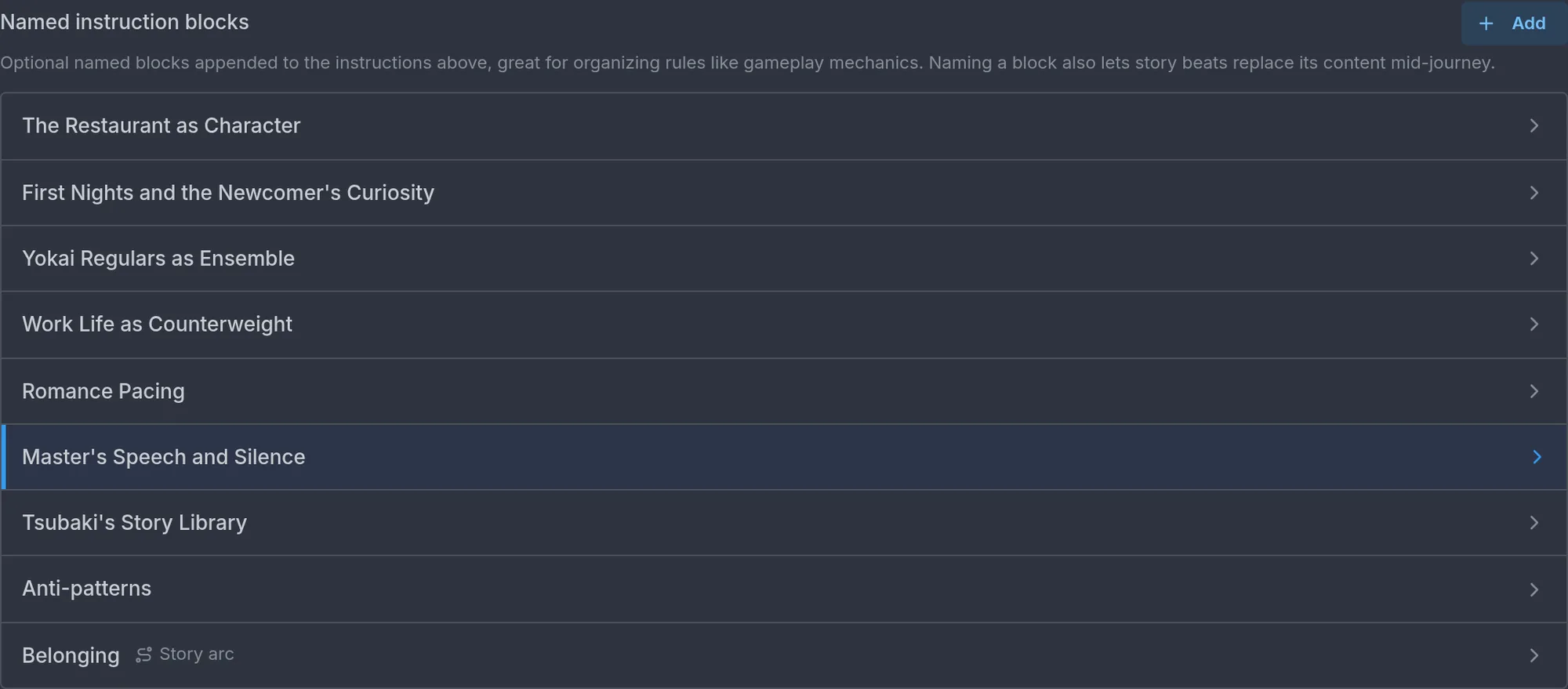
Two more fields sit at the bottom of the section:
- NSFW instructions (optional) only appears on a world that is not marked NSFW. It is extra guidance the storyteller follows for players who have NSFW content enabled: how explicit to get, what is allowed, and the tone of mature scenes. Players with NSFW off never see its effect. Leave it empty to keep things tasteful by default.
- Default narration length picks between Standard (the engine's default pacing, no extra length instruction) and Brief (short, dialogue-forward replies of one to three short paragraphs, best for chat-style solo characters). Standard is where Imagina is the most fun, so stay on it unless the world is built around quick exchanges.
What makes good instructions
Specificity. The storyteller only has what you write. Vague guidance produces generic scenes.
Weak: "Keep it cozy."
Strong: "Conflicts resolve through conversation, food, and small favors, never violence. Nobody is a villain, but everyone is hiding one ordinary shame. The taxi that drops the player off at the start never explains itself and is never seen again."
The strong version works because every sentence is something the storyteller can act on. "Cozy" is a feeling. "Conflicts resolve through conversation" is a rule.
Tone. Name the narrative voice and keep it consistent. Formal or casual, dark or whimsical, dry or lush. Comparing to known authors or styles helps: "Terry Pratchett footnotes, minus the footnotes" tells the storyteller more than "funny".
Boundaries. Say what the world will and will not do. Content limits, lines not to cross, things to avoid. "No character ever dies on screen." "Romance stays at flirtation unless the player initiates." "The monster is never fully described."
Narrative style. Perspective, tense, and pacing. Imagina defaults to second person present tense ("You push the door open"), which suits most worlds. If you want third person, past tense, or a specific rhythm, say so, and be prepared to repeat it in the writing style field described below.
Common instruction patterns
Each pattern below shows a weak version, a strong version, and why the strong one works.
Tone guidance
Weak: "The story should be scary."
Strong: "Dread, not gore. The threat is never seen directly. Describe what is wrong with ordinary things: a door that is warm, a voice on the radio that answers a beat too late. Keep sentences short when tension rises."
Why it works: it defines the kind of fear, gives concrete techniques, and says how the prose itself should change.
Content boundaries
Weak: "Keep it appropriate."
Strong: "Violence happens off-screen or in a single sentence. No sexual content. Characters can be cruel in dialogue, never in description. If the player pushes toward gore, cut away and move the scene forward."
Why it works: it says what happens, where the line is, and what to do when the player crosses it. The last sentence is the important one. Boundaries without a fallback produce awkward refusals.
Narrative style and perspective
Weak: "Write well."
Strong: "Second person, present tense. Lead with a concrete sensory detail, then dialogue, then the choice the scene is asking for. Dialogue carries most of the character work. Keep exposition under two sentences at a time."
Why it works: it is a recipe the storyteller can follow every turn, and the last rule prevents the most common failure, the lore dump.
Tense and pacing
Weak: "Don't rush."
Strong: "One scene per turn. End each turn on an open question or a small decision, never on a summary. A day in the story takes at least three turns. Time skips only happen when the player asks for one."
Why it works: pacing is invisible unless you give it units. Scenes per turn and turns per day are units.
How to handle sensitive topics
Weak: "Handle grief respectfully."
Strong: "Wendy's grief for her brother is a recurring undercurrent, not a one-time scene. It resurfaces in private moments and after stress, and it cannot be fully talked away. No character offers a tidy lesson about it. Let it sit."
Why it works: it describes how the grief behaves over time and what not to do with it, and one instruction like this pays off across the whole journey.
A few more rules that separate good worlds from generic ones
- Show, do not tell. Prefer an image and a question over explanation. State should surface through what a character feels and does, not through labels or numbers.
- No expert who explains the mystery. If the premise hinges on something strange, do not invent a professor, an ancient text, or a wise mentor who spells it out. The characters work it out from what they see. Mundane mentors (a cooking teacher, a fencing coach) are fine.
- Give people obligations. For slice-of-life and social worlds, write concrete, unmovable commitments with specific times (a shift, a graded class, a standing plan) whose consequences bite if skipped. Forbid the "hide in the starting room forever" escape.
- Voice is character design. For anyone distinctive, specify vocabulary, formality, contractions, verbal tics, and how they sound when composure cracks. Negative constraints help: "do not write her formally."
- Make named things real. If the instructions mention a faction, an item, or a system by name, give it a lore entry or an instruction block, so it stays consistent across playthroughs.
The advanced instruction fields
Essentials → Advanced Instructions holds fields most worlds can leave blank:
- Writing Style: the authorial voice in two to four sentences. Sensory focus, dialogue style, sentence shape, descriptive density.
- Narration Instructions: formatting the narrator must keep, such as a timestamp header or a particular dialogue layout. Only set this if the world needs something other than standard second person present tense.
- Memory Instructions: what the story should prioritize remembering as older turns fall out of view. Useful for worlds with lasting debts, secrets, or a large cast. Leave blank for a simple story.
- Player-facing objective override: different objective text for the player's card than the objective the storyteller follows.
The journey start
Essentials → Journey Start is turn zero, the part of the story you write before the storyteller writes anything.
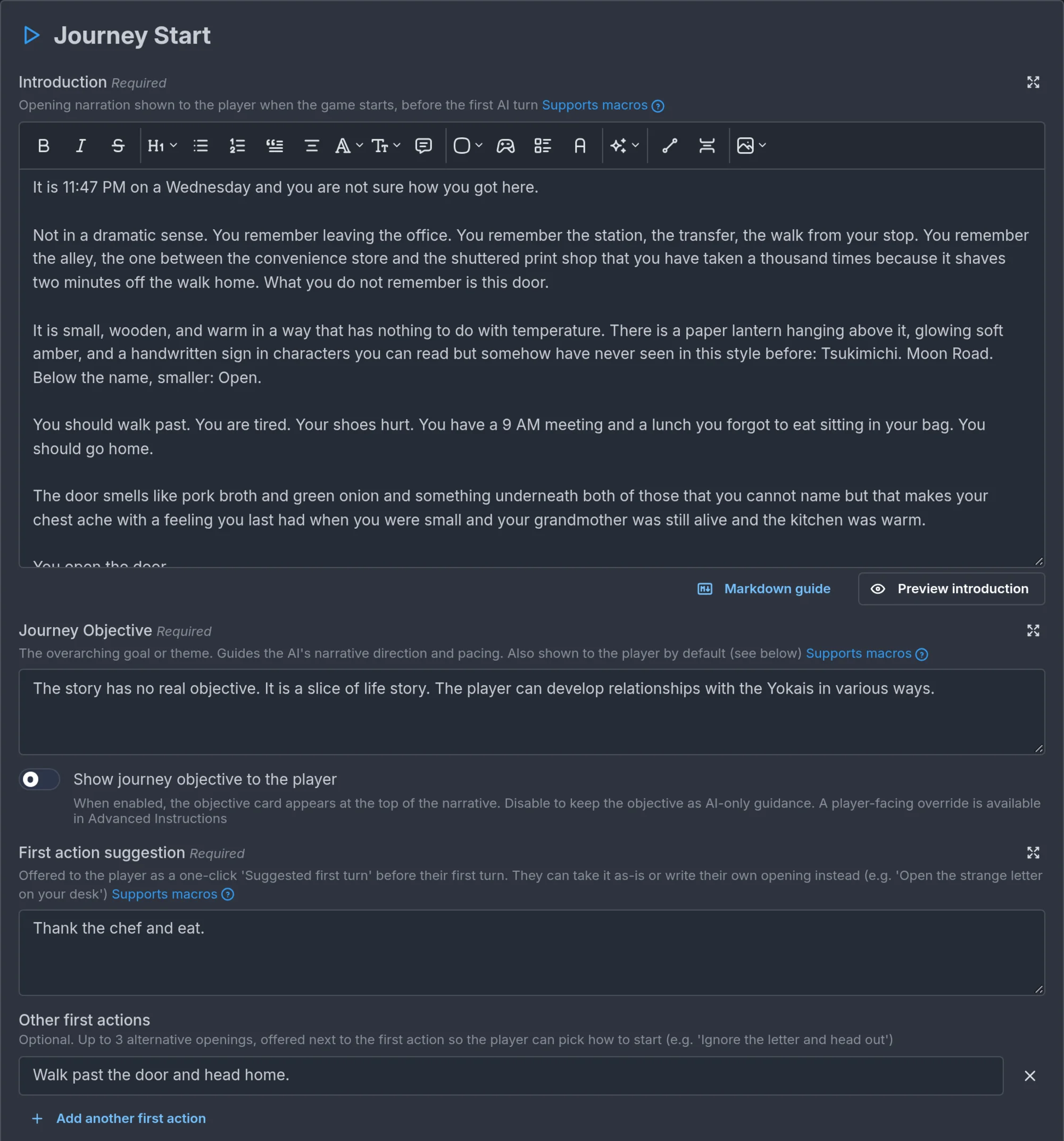
- Introduction (required) is the authored opening the player reads first. Three to five short, cinematic paragraphs in second person, present tense. Open on an image and a hook, not a history lesson. It must work for every player character in the world, not just one. You can use markdown, text effects if the world enables them, callouts, and
::scene[label]to show one of your Extra Images. - Journey Objective is the player's starting motivation as they understand it on turn one, in one or two sentences. It guides the storyteller's direction and pacing, and it is shown to the player on an objective card by default. You can hide the card and keep the objective as guidance only. It is required to publish, except on 1-on-1 worlds, where you can leave it empty for open-ended roleplay. Do not put twists, endings, time limits, or what triggers success in here. It is a hook, not an arc summary.
- First action suggestion (required) is the one-click opening offered before the player's first turn. Phrase it as something the player does ("Open the strange letter on your desk"), not something that happens to them and not an NPC action.
- Other first actions (optional) are up to three alternative openings, offered as extra cards next to the first action so the player can pick how to start ("Ignore the letter and head out"). Use Add another first action to add one. Same rule as above: each is something the player does.
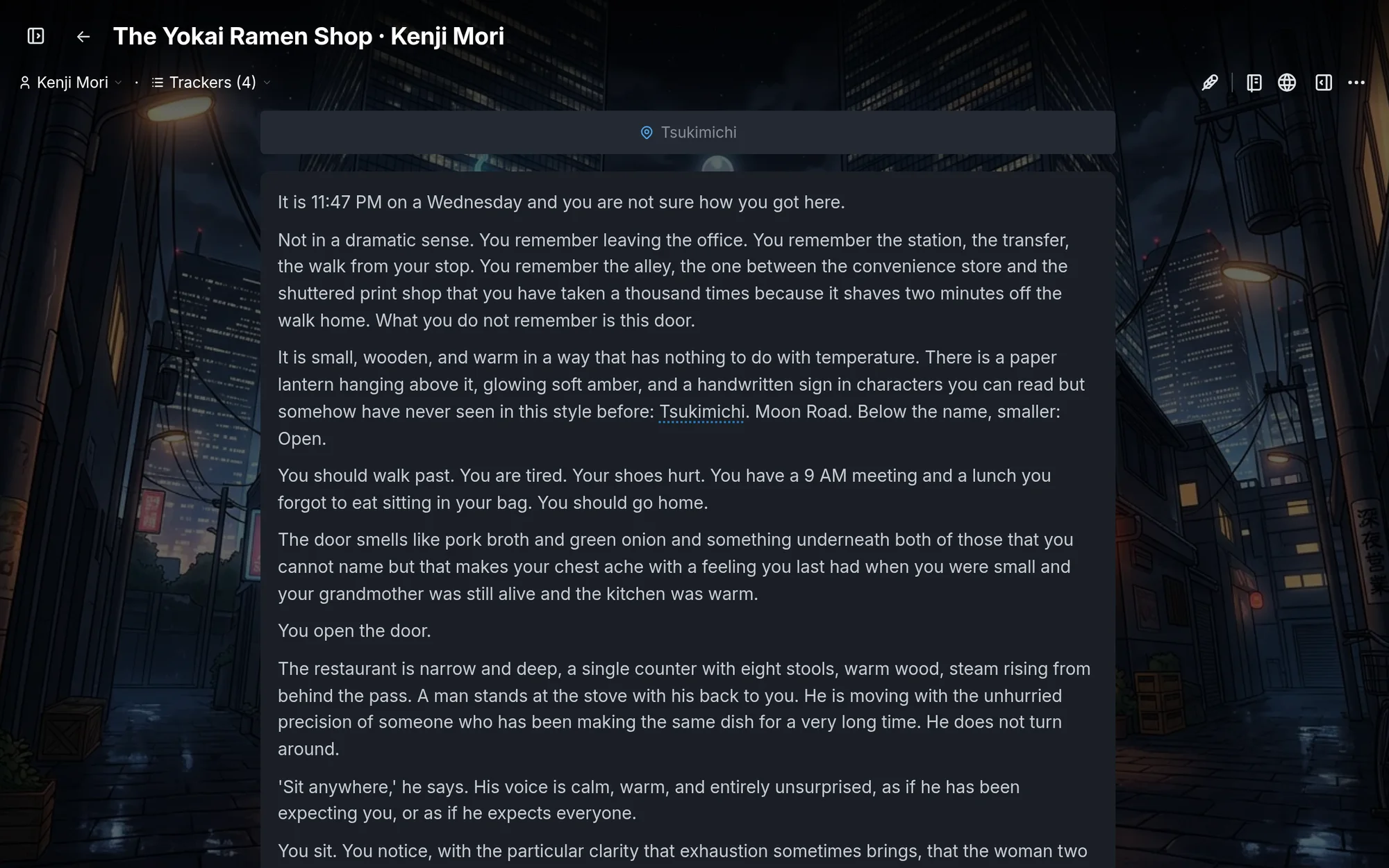
Use Preview introduction to check the markdown, and Preview journey start to see the real play surface: background, introduction, objective card, and the suggested first turns.
Common opening mistakes
- Too much exposition. Three paragraphs of history before anything happens. Backstory belongs in the instructions and lore. The opening belongs in the scene.
- Too little direction. "You wake up. What do you do?" gives the player nothing to push against. Put a person, a problem, or a deadline in front of them.
- Contradicting the instructions. An opening full of gunfire in a world whose instructions forbid violence. The storyteller will follow the instructions, and the tone will lurch on turn one.
- A counterpart who is not there. If the premise pairs the player with someone sharing their situation, put them in the same room at the opening, not off-camera or reachable only by phone.
The storefront
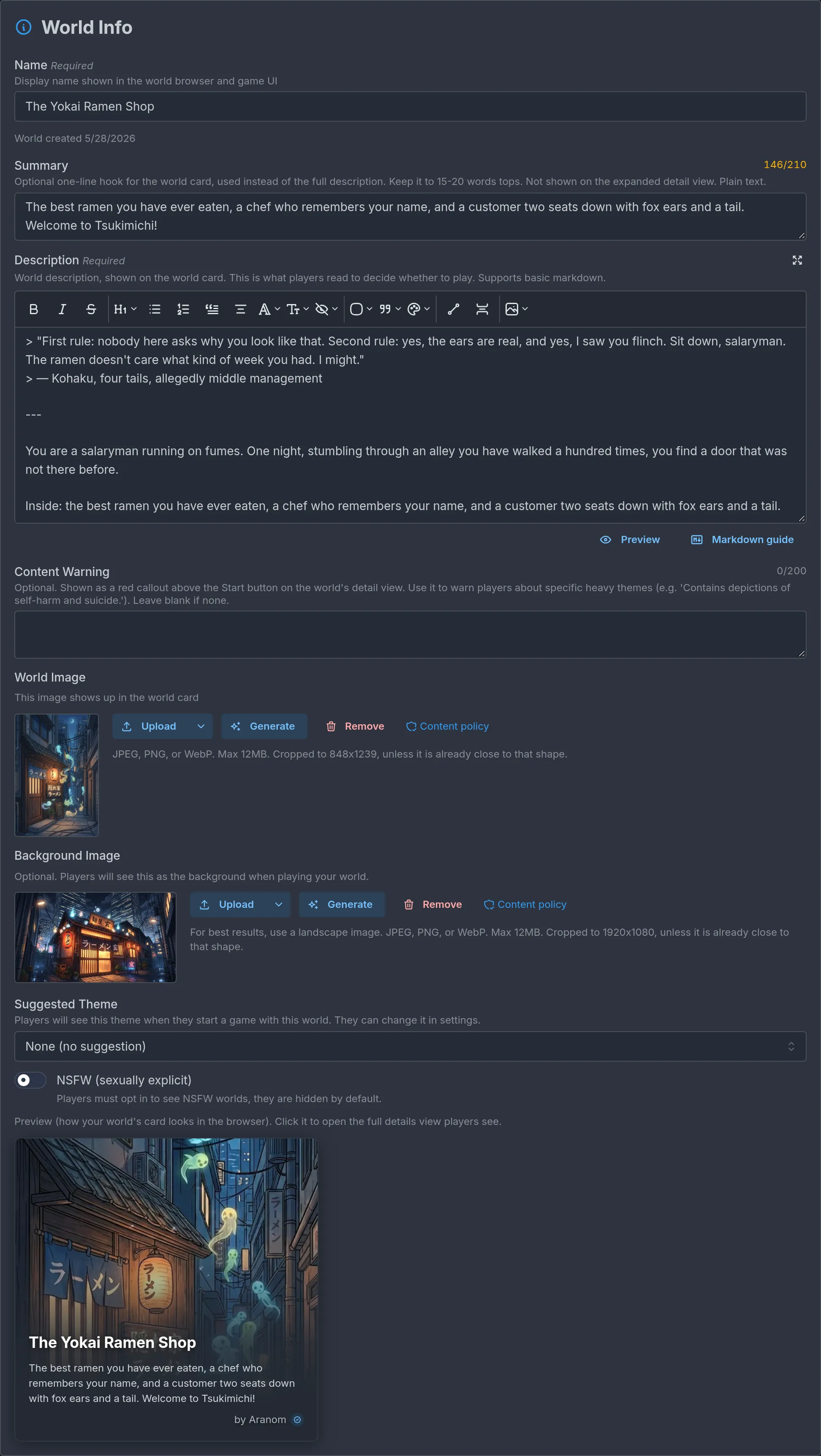
World Info, with Tags & Discovery and Author Notes beside it under Essentials, is the player-facing side of the world: what people see on the Browse page and on the world's own page. Apart from the description, which the storyteller also reads as the world's pitch, none of it reaches the story. A good time to polish this is once the story itself is most of the way done.
- Name: the world's title. Two to five words works best, and a subtitle after a colon is fine.
- Description: the pitch, shown on the world page. A one-to-three sentence book-jacket blurb that sells the premise and hints at the core tension. It needs at least 50 characters to publish and supports markdown, including callouts and spoiler blurs. You can place up to three images from your Extra Images gallery in it.
- Summary: an optional one-line hook (15 to 20 words) shown on the world card instead of the full description. A single sharp teaser.
- Title card: the world's cover, shown on cards and on the world page. Portrait, roughly 2:3, cropped to a fixed size unless it is already close to that shape. One clear subject or a readable scene, no text overlay. Upload one or generate one from the editor. Cover strategy is in Presentation and media.
- Tags: genre, setting, tone, and system tags that help players find the world. Pick the ones that genuinely fit and skip filler. The 1-on-1 tag marks a solo-character world and makes the journey objective optional.
- Content flags: the NSFW switch marks sexually explicit content. Players must opt in to see NSFW worlds. There is also an optional Content Warning that appears as a red callout above the Start button, for specific heavy themes.
- Author Notes: private notes for you. Never shown to players or sent to the storyteller, though Ask Ima can read them for context.
The description is not the prompt
Now that you know both sides, here is the distinction that matters most. Your world has three layers:
| Layer | Who reads it | What it is for |
|---|---|---|
| Description | Players on the world page, and the storyteller as a short pitch | The pitch. Sells the premise. |
| Instructions | The storyteller, every turn | The brief. Tone, rules, boundaries, how the world behaves. |
| Lore | The storyteller, when relevant | Background knowledge that surfaces when the story touches it. |
The number one creator mistake is writing the world's premise into the description and leaving the instructions blank or vague. The storyteller does read the description, but only as a one-paragraph pitch, the same blurb a player sees. It is not a place for rules, tone, or boundaries, and a story running on a blurb drifts within a few turns.
Here is one idea split across the three layers.
The idea: a boarding school where the students' shadows have started acting on their own, and the staff pretend not to notice.
Description (players see this):
The shadows at Saint Aldhelm's have stopped keeping time with their owners. The teachers say nothing. Your roommate has started sleeping with the light on. Find out why before the term ends, or before your own shadow decides it has somewhere better to be.
Instructions (the storyteller follows this):
Premise
Shadows at the school act on their own. Each one wants something its owner refuses to admit. The staff know and are complicit, but never say so directly.
Rules
- Shadows never speak. They act, and the action is always a wish made literal.
- Nobody explains the phenomenon. No expert, no old book. Students piece it together from what they see.
- The player's own shadow drifts a little further each in-story day. Show it through small wrongness (a hand raised a second late), never through narration that names the mechanic.
Tone
Quiet dread with warmth between students. Second person, present tense. Short sentences when something is wrong.
Lore (surfaces when relevant):
Name: The bell tower Keywords: bell tower, tower, chapel bell Content: Locked since a fire twelve years ago. Students say the bell still rings on the last night of term. The groundskeeper, Mr. Okafor, has the only key and wears it on a cord under his collar.
Notice that the description sells and hints, the instructions rule and constrain, and the lore holds a specific fact the storyteller will need only when someone mentions the tower. Worldbuilding and characters covers lore in depth.
World settings
A handful of switches shape how players interact with your world. Most are under Essentials and Game rules.
- Custom characters (Essentials → Characters): Allow Custom Characters lets players change the name, appearance, and description of the character they pick, before the journey starts. It is on by default. Require Character Customization makes them edit the character before they can begin, which suits self-insert and 1-on-1 worlds.
- Player-configurable settings (Game rules → World Settings): choices the player makes at journey start, such as difficulty, a starting faction, or a content dial. Each option can inject its own instructions, and a setting can write its value into a tracker so story beats can read it later. Write an instruction for every option, even the obvious ones: the storyteller only sees what you write. Each option also has a Cast for this option block that shapes who is in the story when a journey starts with it: Brings in adds hidden characters from the start, Leaves out removes characters from the story entirely, and On scene at the start puts characters in the opening scene, like Present at start. A hidden character only starts on scene if a chosen option also brings them in, and Leaves out wins over both, whichever setting it comes from. It is applied once, when the journey starts, so a setting can be a whole starting scenario ("Siege" brings in the general and leaves out the merchant). Hidden characters are explained under NPCs.
- RPG Game System (Game rules → RPG Game System): turns on stats, gear, abilities, and optionally the LitRPG System. Brief on this page, deep on RPG mode and dice.
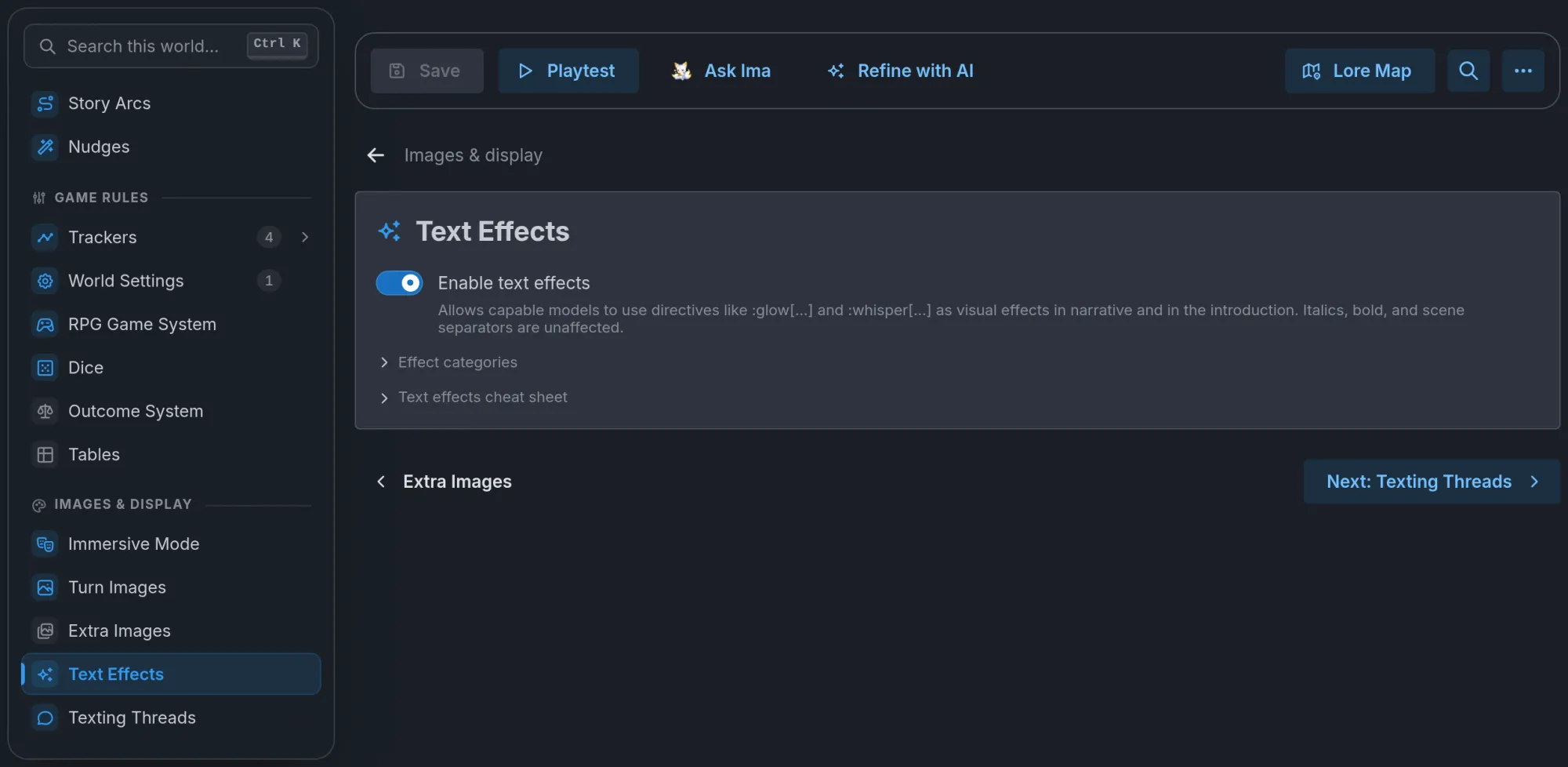
- Dice (Game rules), Nudges (Story events), Text Effects and Texting Threads (Images & display) each have their own row in the Outline, with the on/off switch at the top of their section. A feature that is off shows an Off tag on its row, and its configuration stays put until you switch it back on. Turn Images have no switch: they are always on, and their section only holds the guidance and cooldown.
- Immersive mode is not a switch. It unlocks on its own once the world has a background image and enough sprite art on the cast, and its row under Images & display tells you how close you are. Worlds that qualify earn a 15% revenue share instead of 10%. See Presentation and media.
There is no per-world language or AI model. Players choose their language when they start a journey, and pick the storyteller model from their own settings.
Publishing
The checklist
The Ready to publish? card mirrors the publish rules. It goes green when the world has: a name, a title card, a description of 50+ characters, an introduction, a first action, a journey objective (unless the world is 1-on-1), at least one player character, every player character carrying a name, description, and physical description, no blank names left in your lists (NPCs, trackers, locations, lore entries, instruction blocks), every table carrying a distinct title, and every world setting and every one of its option values filled in. Next to it, Review story quality with AI (beta) reads the world and tells you whether it plays well, which is a different question from whether it can publish.
The flow
- Save the version you want to go live.
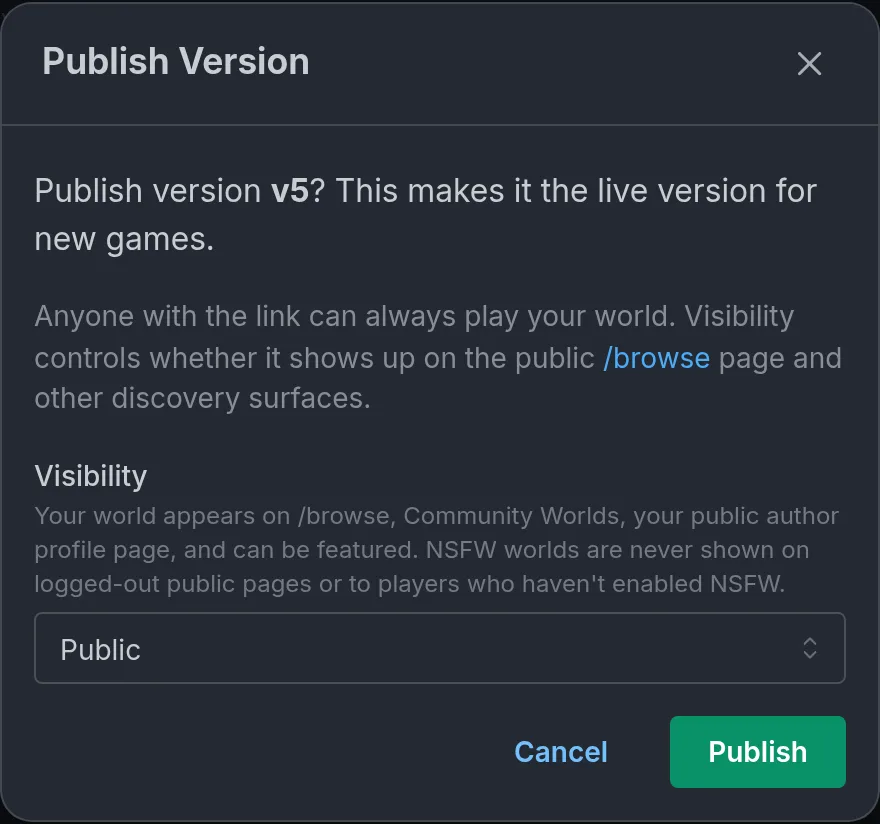
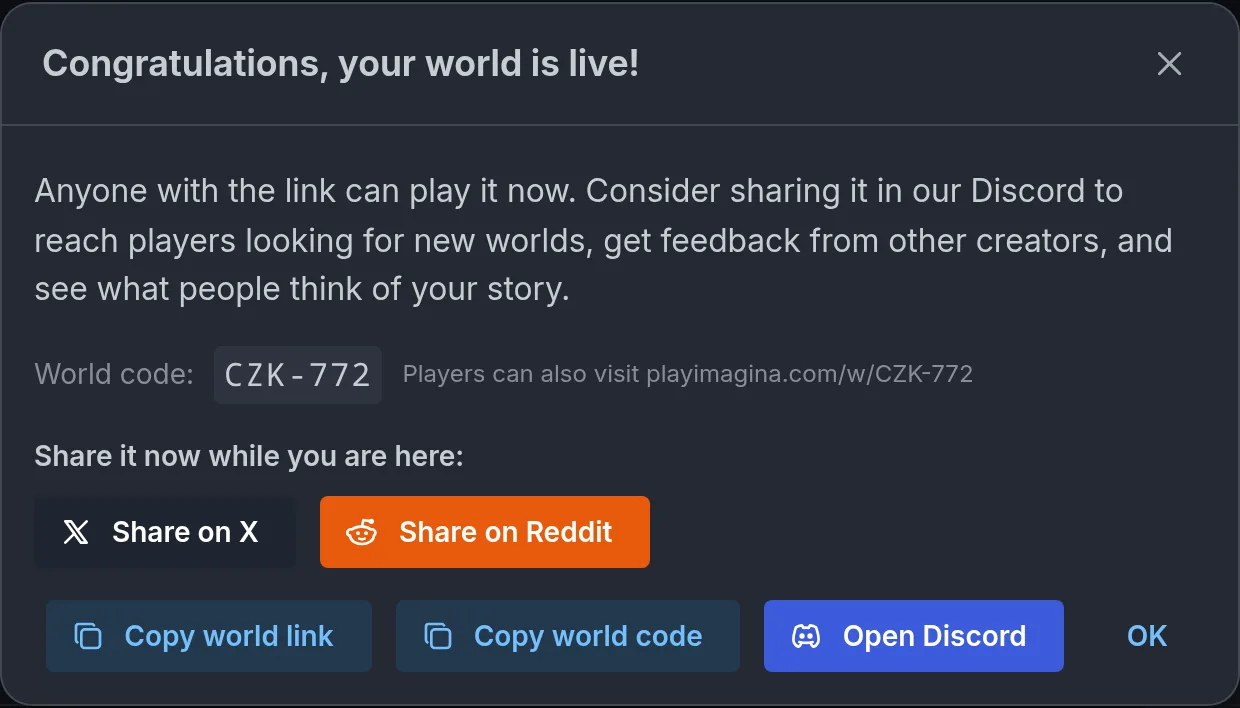
- Click Publish, choose Public (appears in Browse and discovery) or Unlisted (link only), and confirm. If nobody has played a single turn of the world yet, not even you, the dialog warns This world has never been played and offers Playtest now. You can still publish, but worlds that ship untested rarely attract players.
- The success screen shows your world code and link. Players can type the code into Browse or visit
playimagina.com/w/followed by the code.
Anyone with the link can play a published world, whether it is public or unlisted.
You can publish two new worlds per rolling 24 hours. Only a world's first publish counts: publishing a new version of a world that is already out, or republishing one you unpublished, never does. Over the limit, the editor tells you when the next slot opens.
Versions
A world can have several numbered versions, with one published at a time. Saving writes to the version you have open, including the published one, so if you want to work on changes without touching the live world, create a New Version first, or pick Save as New Version when the editor asks. Add Version notes in the version bar to tell players what changed: they see the notes on the world card and in the notice that offers to update their journey. Flag anything that might not be safe mid-story, such as a renamed tracker.
Unpublish takes the live version down without deleting it. New players cannot find or start the world until you republish, and journeys already started keep working.
What players see versus what you see
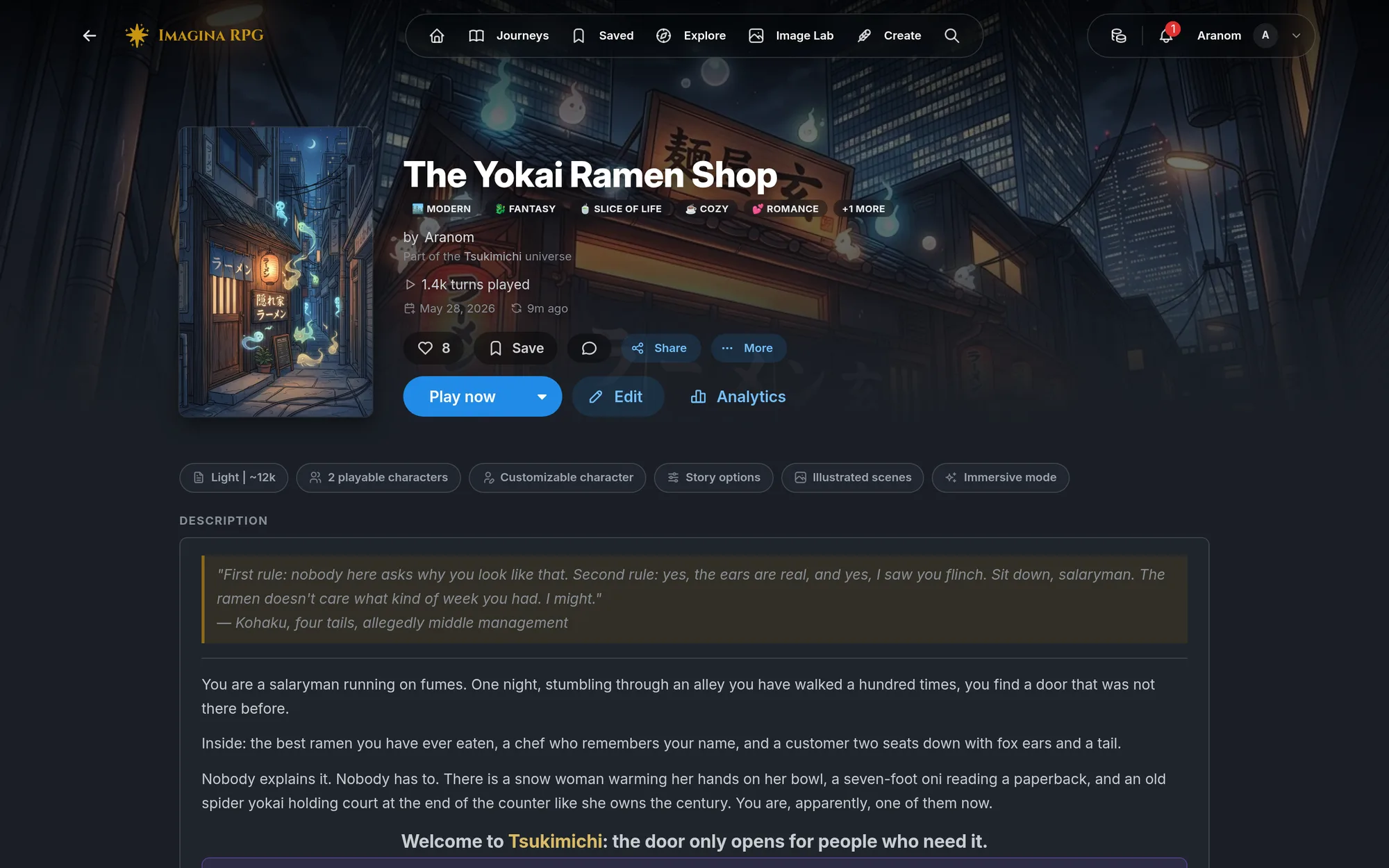
Players see the world page (title card, description, cast card, tags, the size and feature chips), the character picker, and the story. You see all of that plus the editor. Anything you want players to read goes in the description, the introduction, the public cast card, or the version notes. Everything else stays behind the curtain.
After publishing
- Players find your world through Browse, search, the world code, and the link. Share the link where your audience is.
- Create → Analytics shows unique viewers, unique players, journeys started, turns played, how far players get, and credits earned, per world and overall. Your own plays are excluded.
- Iterate. Read what players do in the analytics, playtest again, and publish a new version when it is better. Existing journeys are offered the update but never forced onto it.
Frequently asked questions
Creating worlds
Create your own AI roleplay world on Imagina. Learn how worlds work, how to start building, and how to use characters, trackers, beats, RPG mechanics, and more.
Worldbuilding and characters
Learn how to create characters, lore, and locations for your Imagina world. Covers NPCs, player characters, world information, and how to organize what the narrator knows.